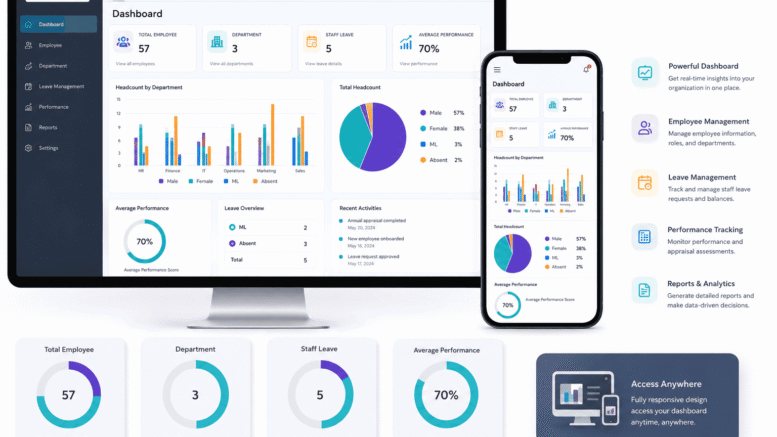
Introduction
Human Resource Management Systems (HRMS) have evolved far beyond desktop applications accessed only from office computers. Today’s workforce expects to manage leave requests, check payslips, submit expense claims, and track attendance from their smartphones — anywhere, at any time. For HR managers and business owners evaluating new HRMS platforms, the quality of the mobile application has become as important as the desktop feature set.
But not all HRMS mobile apps are created equal. Some offer little more than a view-only portal for payslips; others deliver near-complete HR functionality on a mobile device. Knowing which features to look for ensures you select a platform that genuinely serves your workforce in a mobile-first environment. Here are the ten core features every HRMS mobile app should include.
1. Leave Application and Approval
Employees should be able to apply for all leave types — annual, medical, emergency, and unpaid — directly from the app with minimal steps. Approvers need to receive push notifications and approve or reject requests with a single action. A full leave balance dashboard showing remaining days for each leave type should be accessible at a glance, without requiring employees to contact HR for basic information.
2. Payslip Access and Payroll History
Monthly payslips should be available immediately upon payroll processing, with employees able to view current and historical payslips going back at least 12 months. The payslip view should clearly display all earnings, deductions, and statutory contributions in a readable format. Download and export functionality allows employees to save copies for personal record-keeping or loan applications.
3. Attendance Check-In and Check-Out
Mobile attendance capability — allowing employees to clock in and out from their smartphones using GPS location verification or facial recognition — is increasingly essential for organisations with field staff, remote workers, or multiple sites. The app should capture precise timestamps, enforce geofencing rules to verify that employees are at the correct location, and sync attendance data to the central HRMS in real time.
4. Claim and Expense Submission
Field staff and travelling employees need to submit expense claims as soon as they occur, rather than accumulating paper receipts to process at month end. A good HRMS mobile app allows users to photograph receipts, categorise expenses, and submit claims for approval directly from their phone. Claim status tracking — showing whether a submission is pending, approved, or paid — reduces the volume of status enquiries directed to finance teams.
5. Shift Schedule Viewing
Employees working variable or rotating shifts should be able to view their upcoming schedules, track shift swaps, and receive notifications when schedules are updated. Supervisors should be able to manage rosters and fill open shifts from the mobile app, reducing the reliance on phone calls or physical notice boards for schedule communication.
6. Approval Workflows for Managers
Managers spend a significant portion of their time handling routine HR approvals. A capable HRMS mobile app consolidates all pending approvals — leave, claims, overtime, schedule changes — in a single inbox with clear context for each item. One-tap approval with optional comments allows managers to keep workflows moving even when they are away from their desks.
7. Employee Self-Service Profile Management
Employees should be able to update their own contact details, bank account information for salary payments, and emergency contact records directly from the app, subject to appropriate approval workflows where required. Self-service profile management reduces the administrative burden on HR staff and ensures records remain current without manual update requests.
8. Announcements and Internal Communications
An HRMS mobile app with built-in announcement functionality allows HR and management to push important updates — policy changes, holiday notices, training schedules, emergency notifications — directly to all employees or specific groups. Push notifications ensure important messages are seen promptly, unlike email that may be overlooked.
9. Performance Review and Goal Tracking
Progressive HRMS mobile apps extend performance management to mobile, allowing employees to update progress on assigned goals, submit self-assessments, and receive performance review feedback from their smartphones. Managers can track team performance metrics and complete review cycles from the app, making the performance management process more continuous and less dependent on scheduled review cycles.
10. Data Security and Biometric Authentication
An HRMS mobile app handles sensitive personal and financial data. It must enforce strong security standards including biometric authentication (fingerprint or facial recognition) for app login, end-to-end encryption of data transmission, automatic session timeout after inactivity, and remote device logout capability in case a device is lost or stolen. Compliance with Malaysia’s PDPA and data residency requirements should be verified with the vendor before deployment.
Comparison: Basic vs Feature-Complete HRMS Mobile Apps
| Feature | Basic App | Feature-Complete App |
|---|---|---|
| Leave Application | View only | Apply, track, approve |
| Payslips | Current month only | Full history, downloadable |
| Attendance | Not available | Mobile clock-in with GPS/biometrics |
| Claims | Not available | Submit, track, approve |
| Approvals | Email redirect | In-app consolidated inbox |
| Security | Password only | Biometric + encryption + remote logout |
Conclusion
The quality of an HRMS mobile app significantly affects how effectively your workforce can self-manage routine HR tasks and how efficiently managers can handle approvals and oversight. When evaluating new HRMS platforms, the ten features outlined in this guide provide a practical framework for assessing mobile capability beyond basic payslip viewing.
An HRMS mobile app that delivers genuine self-service functionality reduces HR administrative workload, improves employee experience, and supports the flexibility that today’s workforce expects — wherever they are working from.
Frequently Asked Questions (FAQ)
Is an HRMS mobile app available for both iOS and Android?
Most enterprise HRMS providers develop native apps for both iOS and Android platforms. Before committing to a platform, confirm that the mobile app is available for the operating systems used by your workforce and that both versions receive regular feature updates.
Can an HRMS mobile app work offline?
Some HRMS apps support limited offline functionality — such as viewing cached payslips or recording attendance for later sync. Full functionality typically requires an internet connection. For field-based workforces in areas with poor connectivity, offline capability should be a specific evaluation criterion.
How is sensitive payroll data protected in a mobile app?
Enterprise HRMS apps protect payroll data through biometric or PIN authentication, encrypted data transmission using industry-standard protocols, session timeouts, and remote logout capabilities. Review the vendor’s security certifications and data protection practices before deployment.
Can managers approve leave and claims without access to the desktop system?
Yes, with a feature-complete HRMS mobile app. Approval workflows are designed for mobile use, with push notifications alerting approvers to pending items and in-app context providing all the information needed to make an informed decision without opening a computer.
How do we ensure employees adopt the HRMS mobile app?
Adoption is highest when the app is genuinely useful for day-to-day tasks such as leave application and payslip access. A brief onboarding session covering key features, combined with management encouragement to use the app for routine requests, typically drives rapid adoption across the workforce.
Explore the product here: http://www.smartouch.com.my/job-costing/
Smart Touch technology pte ltd , www.smartouch.com.sg +65-63964767, sales@smartouch.com.sg , www.smartouch.com.my +607-3889903 sales@smartouch.com.my