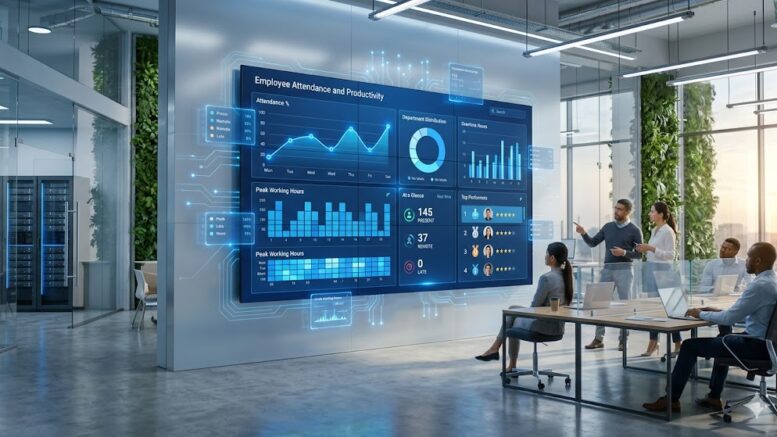
Employee attendance tracking has moved well past the paper timesheet and punch card era. Growing offices in Malaysia are now expected to run leaner, more accurate payroll processes while also meeting stricter workplace security expectations. Facial recognition clocking systems, paired with modern time attendance software, have become one of the most practical upgrades a growing business can make.
If your office is still relying on manual sign-in sheets, fingerprint scanners that struggle with dirty or worn prints, or a card-based system that is easy to abuse through buddy punching, it may be time to consider an upgrade. This guide walks through what modern time attendance and facial clocking systems offer, the features that matter most, and how to choose a solution that fits your growing office.
What Is a Time Attendance and Facial Clocking System?
A time attendance and facial clocking system combines biometric facial recognition hardware with software that records, calculates, and reports employee working hours. Instead of swiping a card or scanning a fingerprint, employees simply look at a camera-equipped terminal, which verifies their identity in a fraction of a second and logs the clock-in or clock-out event automatically. The captured data flows into a central dashboard where HR and finance teams can review attendance, calculate overtime, and export figures directly into payroll.
Signs Your Office Has Outgrown Its Current System
Many growing businesses continue using an entry-level attendance system long after it has stopped serving them well. Common warning signs include HR staff spending hours each month manually correcting attendance records, employees clocking in for absent colleagues, frequent hardware failures with card or fingerprint readers, and an inability to view attendance data remotely across multiple office locations. If payroll processing has started to feel like a monthly fire drill, the attendance system is often the root cause rather than the payroll process itself.
Key Features to Look For When Upgrading
Facial Recognition Accuracy and Speed
Look for systems that can verify an employee’s identity in under a second, even in varying lighting conditions or when employees are wearing glasses or face masks. Poor recognition accuracy leads to long queues at the clocking terminal during peak hours, which frustrates staff and undermines adoption.
Cloud-Based Data Access
A cloud-connected system allows HR managers to check attendance records from anywhere, which is especially useful for businesses with more than one office or with staff who travel between sites. Cloud storage also reduces the risk of losing attendance history to a single point of hardware failure.
Integration With Payroll and HR Systems
The most valuable time attendance systems connect directly to payroll software, automatically calculating regular hours, overtime, and late penalties based on company policy. This removes manual data entry, a common source of payroll errors and employee disputes.
Multi-Branch and Remote Support
If your business operates from more than one location, or plans to in the near future, choose a system built to manage multiple branches under a single account. This avoids the need to purchase and maintain separate systems as the company expands.
Data Privacy and Security Safeguards
Because facial recognition involves biometric data, it is important to choose a vendor that encrypts stored data, limits access to authorized personnel, and is transparent about how facial data is captured, stored, and used. Ask vendors directly about their data protection practices before committing.
Benefits of Upgrading Your Time Attendance System
Beyond accuracy, a modern facial clocking system reduces administrative workload, eliminates buddy punching, speeds up daily clock-in and clock-out routines, and gives management real-time visibility into staff attendance. Over time, the reduction in payroll errors and administrative hours often offsets the cost of the upgrade within the first year.
Common Applications in Growing Offices
Facial clocking systems are widely used across office headquarters, retail chains, warehouses, and factories in Malaysia. In office settings, they are often paired with access control at the main entrance, so a single facial scan both verifies attendance and unlocks the door. In warehouses and factories, rugged terminals are placed at shift changeover points to keep queues moving quickly during busy periods.
Best Practices for a Smooth Implementation
Before rolling out a new system, register employee facial data during a quiet period rather than during peak office hours, communicate the change clearly so staff understand how their data will be used, and run the new system in parallel with the old one for a short trial period to catch any configuration issues before fully switching over. Involving HR and IT early also helps ensure the payroll integration is configured correctly from day one.
Key Takeaways
- Facial clocking eliminates buddy punching and speeds up daily attendance routines
- Cloud-based systems give HR visibility across multiple office locations
- Payroll integration reduces manual data entry and calculation errors
- Data privacy safeguards should be confirmed before choosing a vendor
- A short parallel-run trial helps catch configuration issues early
Frequently Asked Questions
Is facial recognition attendance accurate enough for daily office use?
Yes. Modern facial recognition terminals typically achieve very high accuracy rates and can verify identity in under a second, even for large teams clocking in during the same short window each morning.
How long does it take to set up a new time attendance system?
Most installations, including hardware setup and employee facial data registration, can be completed within a few days to two weeks depending on the number of employees and office locations involved.
Can facial clocking systems work alongside existing door access control?
Yes, many facial recognition terminals are designed to handle both attendance logging and door access control simultaneously, allowing a single device to serve both purposes.
What happens to attendance data if the internet connection goes down?
Most systems store attendance logs locally on the terminal and automatically sync to the cloud once connectivity is restored, so no clock-in or clock-out records are lost during short outages.
Is employee facial data safe with these systems?
Reputable vendors encrypt facial data both in storage and in transit, and restrict access to authorized administrators only. Businesses should confirm these safeguards with their vendor before rollout.
Read the product overview here: http://www.smartouch.com.my/tms-time-management-system-singapore-malaysia/
Smart Touch technology pte ltd , www.smartouch.com.sg +65-63964767, sales@smartouch.com.sg , www.smartouch.com.my +607-3889903 sales@smartouch.com.my