Introduction
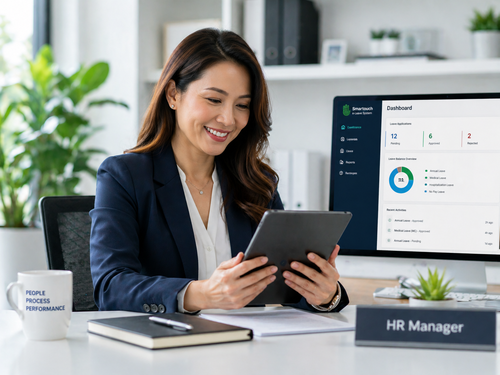
Managing employee leave can be one of the most time-consuming and error-prone tasks for HR teams. From manually tracking paper forms to chasing approvals over email, traditional leave management often creates bottlenecks that disrupt productivity. SmartLeave is designed to eliminate these challenges by providing a fast, accurate, and fully automated solution that allows organisations to track and approve leave requests instantly.
In today’s fast-paced business environment, companies that rely on outdated leave management methods risk compliance issues, payroll errors, and employee dissatisfaction. SmartLeave offers a modern, cloud-based approach that transforms the entire leave process — from submission to approval and record-keeping — into a seamless, efficient experience for everyone involved.
What Is SmartLeave?
SmartLeave is a cloud-based leave management system built to simplify the entire leave lifecycle. Designed for Malaysian businesses of all sizes, it integrates seamlessly with existing HR and payroll systems to ensure accurate leave data flows across your organisation without manual intervention.
Whether your team works in the office, remotely, or in a hybrid environment, SmartLeave gives HR managers and employees a centralised platform to manage time off efficiently. With real-time notifications and an intuitive interface, leave management has never been easier or more transparent.
Key Features of SmartLeave
Instant Leave Application and Approval
Employees can submit leave requests from any device — desktop, tablet, or mobile — in just a few clicks. Managers receive instant notifications and can approve or reject requests on the spot, drastically reducing approval turnaround time from days to seconds. This eliminates delays caused by unavailable managers or lost email chains.
Automated Leave Balance Tracking
SmartLeave automatically calculates leave entitlements, deductions, and carry-over balances based on your company policy. This removes the risk of manual calculation errors and ensures employees always see accurate, up-to-date leave balances at all times. HR managers no longer need to manually update spreadsheets after every leave application.
Customisable Leave Policies
Every organisation is different. SmartLeave allows you to define multiple leave types — annual leave, medical leave, emergency leave, unpaid leave, and more — with custom rules and entitlements tailored to your workforce and local employment regulations. Policy changes can be applied instantly across the entire system.
Seamless Integration with Payroll
Leave data automatically syncs with your payroll system, ensuring that deductions for unpaid leave or adjustments for entitlement balances are processed accurately and on time — without manual data entry. This integration reduces payroll errors and saves significant time during each pay cycle.
Benefits of Using SmartLeave for Your Organisation
Switching to SmartLeave brings tangible improvements to your HR operations. Here is a quick comparison of traditional leave management versus SmartLeave:
| Feature | Traditional Leave Management | SmartLeave |
|---|---|---|
| Approval Speed | Days (email or manual) | Instant (real-time) |
| Accuracy | Error-prone | Fully automated |
| Accessibility | Office only | Anytime, anywhere |
| Reporting | Manual spreadsheets | Automated dashboard |
| Compliance Tracking | Manual tracking | Built-in policy rules |
Organisations that have adopted SmartLeave report significant reductions in HR administrative time and fewer leave-related disputes — because all records are transparent and accessible to both employees and managers in real time.
How SmartLeave Works: A Step-by-Step Overview
Using SmartLeave is straightforward for both employees and managers. Here is how the process flows from start to finish:
- Employee Submits Request — The employee logs into SmartLeave, selects the leave type, chooses the dates, adds a reason if required, and submits the request with one click.
- Manager Receives Notification — The approving manager receives an instant alert via email or the SmartLeave dashboard, with full details of the request.
- Manager Reviews and Approves — With a single click, the manager can approve, reject, or request additional information from the employee.
- Employee Is Notified — The employee immediately receives the outcome of their request via email or in-app notification.
- Records Are Updated — Leave balances, team calendars, and reports are automatically updated in real time across the system.
This streamlined process reduces back-and-forth communication and keeps everyone informed throughout the entire leave management cycle, saving hours of administrative work every month.
Why Malaysian Businesses Choose SmartLeave
SmartLeave is built with Malaysian employment law in mind. It supports all leave types mandated under the Employment Act 1955, including annual leave, sick leave, and maternity leave. It also accommodates public holidays specific to each state, making it ideal for businesses operating across multiple regions in Malaysia.
Beyond compliance, SmartLeave provides detailed reports and dashboards that give HR managers a clear view of leave trends, high-absence periods, and team availability — empowering smarter workforce planning decisions. Managers can identify patterns and address issues proactively before they impact operations.
Best Practices for Leave Management with SmartLeave
- Set up all leave types and entitlement rules in the system before going live
- Train both HR staff and employees on how to use the platform effectively
- Integrate SmartLeave with your payroll software for seamless, error-free data flow
- Use the reporting dashboard regularly to monitor leave trends and team availability
- Review and update leave policies in the system whenever company rules change
Conclusion
Effective leave management is not just about compliance — it is about creating a workplace culture of transparency, fairness, and operational efficiency. SmartLeave gives your organisation the tools to track and approve leave requests instantly, saving time, reducing errors, and improving the overall employee experience across your business.
Whether you are a small business or a growing enterprise, SmartLeave scales with your needs and keeps your HR operations running smoothly. By automating leave workflows, your HR team can focus on more strategic priorities while employees enjoy a hassle-free, self-service leave experience. If your organisation is still relying on manual leave management methods, now is the perfect time to make the switch to SmartLeave.
For a deeper look into the product, follow this link: https://www.smartouch.com.my/smartleave-leave-management-system/
Frequently Asked Questions (FAQ)
Q1: Can SmartLeave be customised to match our company’s leave policies?
Yes, SmartLeave is highly customisable. You can configure leave types, entitlements, approval workflows, and carry-over rules to match your organisation’s specific requirements and internal HR policies.
Q2: Is SmartLeave suitable for small businesses?
Absolutely. SmartLeave is scalable and can be used by businesses of all sizes — from small teams to large enterprises with multiple departments and locations across Malaysia.
Q3: Does SmartLeave integrate with payroll software?
Yes, SmartLeave integrates with payroll systems to automatically sync leave data, ensuring accurate payroll calculations without manual data input or re-entry between systems.
Q4: Can employees check their leave balances on SmartLeave?
Yes. Employees can log in at any time to view their current leave balances, pending requests, and full leave history from any device — desktop, tablet, or mobile phone.
Q5: Is SmartLeave compliant with Malaysian employment laws?
SmartLeave is designed to align with the Employment Act 1955 and supports all mandatory leave types, entitlement calculations, and state-specific public holiday calendars for businesses across Malaysia.
Smart Touch technology pte ltd , www.smartouch.com.sg +65-63964767, sales@smartouch.com.sg , www.smartouch.com.my +607-3889903 sales@smartouch.com.my