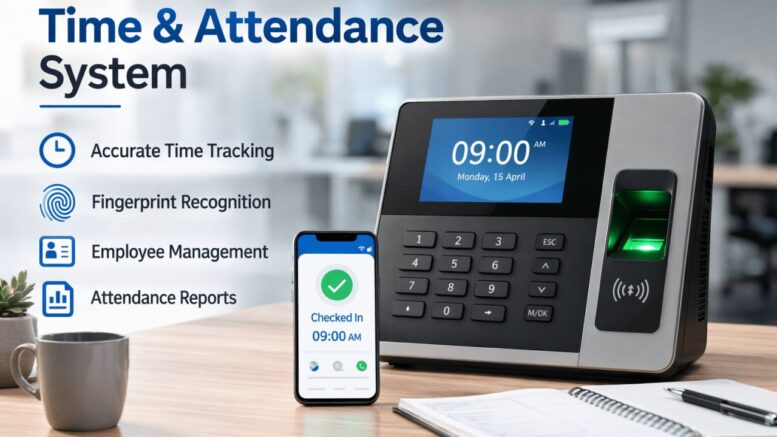
Rolling out a new time attendance and e attendance system is a significant project for any HR or operations team. Done well, it eliminates manual timesheets, reduces payroll errors, and gives management real-time visibility into workforce productivity. Done poorly, it can create confusion, resistance from staff, and inaccurate data.
This complete checklist walks through every stage of implementing a time attendance and e attendance system, from initial planning to full company-wide rollout, so your organisation can avoid common pitfalls and see results faster.
Why a Structured Implementation Plan Matters
Many businesses underestimate how much planning a time attendance and e attendance rollout requires. Without a clear checklist, common issues include incomplete employee data, confusion over shift rules, and resistance from staff unfamiliar with the new process. A structured approach avoids these problems and ensures the system delivers accurate data from day one.
Step-by-Step Implementation Checklist
1. Define Your Attendance Policies
Before selecting or configuring any system, document your working hours, shift patterns, overtime rules, and lateness policies clearly. This forms the foundation for how the system will calculate attendance data.
2. Choose the Right Clock-In Method
Decide whether employees will clock in using biometric fingerprint scanners, facial recognition, access cards, or a mobile e attendance app. Many businesses use a combination, such as biometric devices for fixed offices and mobile GPS clock-in for field staff.
3. Prepare and Clean Employee Data
Ensure employee records, including shift assignments, department, and reporting managers, are accurate and up to date before go-live. Migrating incomplete data leads to attendance errors later.
4. Configure Shift Rules and Overtime Calculations
Set up the system to automatically apply your organisation’s shift patterns, break rules, and overtime calculations, so attendance data flows correctly into payroll without manual adjustment.
5. Run a Pilot Test
Test the system with one department or location first. This allows you to catch configuration issues, hardware placement problems, or workflow gaps before a full rollout.
6. Train Employees and Supervisors
Provide clear instructions on how to clock in and out, apply for attendance corrections, and where to raise issues. Well-trained employees generate cleaner data and fewer support queries.
7. Integrate with Payroll and HR Systems
Connect the time attendance and e attendance system directly to payroll so hours worked, overtime, and lateness automatically flow into salary calculations without manual re-entry.
8. Monitor and Review After Go-Live
After rollout, review attendance reports weekly for the first month to catch any configuration issues, unusual patterns, or employee confusion early.
Key Benefits of a Well-Implemented System
- Accurate payroll processing based on real attendance data instead of estimates.
- Reduced time theft through biometric or GPS-verified clock-ins.
- Real-time visibility into attendance across departments or sites.
- Faster payroll cycles due to automatic data flow into salary calculations.
- Improved compliance with working hour regulations and record-keeping requirements.
Common Implementation Mistakes to Avoid
| Mistake | Impact | How to Avoid It |
|---|---|---|
| Skipping the pilot phase | Company-wide issues discovered too late | Test with one department first |
| Incomplete employee data | Incorrect attendance or payroll records | Clean and verify data before go-live |
| No employee training | Confusion and support overload | Run training sessions before launch |
| Ignoring shift rule complexity | Incorrect overtime calculations | Map all shift types before configuration |
Best Practices for a Smooth Rollout
- Assign a project owner responsible for the entire implementation.
- Communicate the “why” to employees so they understand the benefits, not just the change.
- Keep a manual backup process ready during the first few weeks in case of technical issues.
- Set a clear go-live date and communicate it well in advance.
- Gather employee feedback after the first month to fine-tune the system further.
Key Takeaways
- A structured checklist prevents common pitfalls when implementing a time attendance and e attendance system.
- Clean employee data and clear policy definitions are essential before configuration.
- Piloting with one department reduces the risk of company-wide issues.
- Integration with payroll eliminates manual data entry and reduces errors.
- Ongoing monitoring after go-live catches issues early.
Conclusion
Implementing a time attendance and e attendance system is far more successful when approached with a clear, structured plan rather than rushed into production. By following this checklist, from defining policies and choosing the right clock-in method to piloting, training, and integrating with payroll, businesses can avoid the common mistakes that derail attendance system rollouts and start seeing accurate, actionable data from day one.
Frequently Asked Questions (FAQ)
1. How long does it typically take to implement a time attendance system?
Timelines vary by company size, but a pilot phase followed by full rollout typically takes a few weeks to a few months, depending on complexity.
2. Should we pilot the system before a full company rollout?
Yes, piloting with one department or location helps identify configuration issues before they affect the entire organisation.
3. Can a time attendance system integrate with existing payroll software?
Most modern systems are designed to integrate with payroll platforms, allowing attendance data to flow directly into salary calculations.
4. What happens if an employee forgets to clock in or out?
Most systems include a correction or exception request workflow, allowing employees to submit a manual adjustment for supervisor approval.
Click here to view complete product specifications: https://www.smartouch.com.my/smartime-time-system/
Smart Touch technology pte ltd , www.smartouch.com.sg +65-63964767, sales@smartouch.com.sg , www.smartouch.com.my +607-3889903 sales@smartouch.com.my