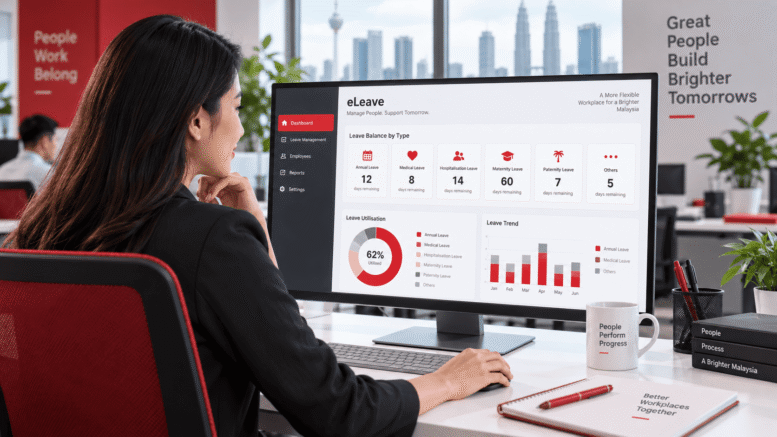
Free Leave Management System Excel Template
Managing employee leave requests can be challenging for any organisation, regardless of size. Many Malaysian businesses still rely on manual processes, spreadsheets, or basic tools to track holidays, sick days, and other types of leave. While Excel templates offer a cost-effective starting point, they come with significant limitations that can lead to errors, inefficiencies, and compliance risks.
This guide explores how a free leave management system Excel template can help streamline your leave administration, the benefits and drawbacks of using spreadsheets, and how modern solutions can address the gaps that traditional templates cannot fill.
Why Leave Management Matters in Malaysian Organisations
Effective leave management is more than just tracking days off. It directly impacts workforce planning, payroll accuracy, compliance with employment laws, and employee satisfaction. In Malaysia, employers must adhere to the Employment Act 1955 and relevant industrial awards, which outline minimum leave entitlements and employer obligations. Managing this accurately is essential to avoid disputes and penalties.
When leave administration is disorganised, several problems emerge:
- Double bookings or approval conflicts when multiple team members take leave simultaneously
- Inaccurate leave balance calculations leading to payroll errors
- Difficulty tracking leave patterns for workforce planning and resource allocation
- Lack of audit trails making it hard to demonstrate compliance
- Time-consuming manual processes that distract HR teams from strategic work
- Employee frustration when leave requests are delayed or lost
Addressing these challenges requires a reliable system that is easy to use and keeps accurate records.
What Is a Leave Management System Excel Template?
A leave management system Excel template is a pre-built spreadsheet designed to help organisations track employee leave requests, approvals, and balances. These templates typically include sections for recording leave type, dates, approval status, and remaining leave entitlements.
Free templates are widely available online and can be downloaded at no cost, making them an attractive option for small businesses and startups looking to move beyond completely manual processes.
Common Features Found in Excel Templates
Most basic leave management Excel templates include:
- Employee name and ID fields
- Leave type categories (annual leave, sick leave, emergency leave, etc.)
- Date fields for leave start and end dates
- Approval status tracking (pending, approved, rejected)
- Leave balance calculations
- Simple reporting or summary views
While these features cover the basics, they rarely provide the functionality needed for modern workforce management.
Advantages of Using a Free Excel Leave Template
Excel templates do offer some genuine benefits, particularly for very small organisations with simple leave requirements:
- No cost barrier: Free templates require no software investment, making them accessible to startups and budget-conscious businesses
- Familiar format: Most business users already know how to work with Excel, reducing training time
- Quick setup: A basic template can be implemented within hours
- Customisable: You can modify the template to match your specific leave categories and organisational structure
- Offline access: Excel files can be stored locally and accessed without internet connectivity
For organisations with fewer than 20 employees and straightforward leave policies, a template may provide sufficient functionality to get started.
Limitations of Excel Templates for Leave Management
While free Excel templates are a starting point, they quickly become problematic as your organisation grows or your requirements become more complex.
Manual Data Entry and Human Error
Excel templates require manual data entry for each leave request. This creates multiple opportunities for errors—typos in employee names, incorrect date calculations, miscounted leave balances, or duplicated entries. When leave information is critical for payroll and compliance, even small mistakes can cause significant problems.
Scalability Issues
As your workforce grows, a single Excel file becomes unwieldy. Managing leave for hundreds of employees in a spreadsheet becomes slow, difficult to navigate, and prone to corruption if multiple people try to edit it simultaneously.
Limited Access Control
Excel files do not offer granular permission controls. You cannot easily restrict what individual team members can see or edit. This creates security and privacy risks when sensitive employee data is accessible to anyone with the file.
No Real-Time Collaboration
If multiple HR staff need to review and approve leave requests, a shared Excel file creates confusion. Version control becomes problematic, and it is unclear which approvals are current or pending.
Lack of Automation
Templates cannot automate notifications, reminders, or approval workflows. Managers and HR staff must manually follow up on pending requests. There is no system to alert employees when their request has been approved or to remind managers of upcoming leave.
Weak Reporting Capabilities
While Excel can produce basic reports, generating meaningful insights about leave patterns, department-level trends, or compliance metrics requires significant manual work or complex formula knowledge.
Compliance and Audit Trail Gaps
Excel templates do not automatically log who changed what information and when. This makes it difficult to demonstrate compliance with employment laws or investigate discrepancies. Audit trails are essential for defending against employment disputes.
Best Practices If Using an Excel Template
If your organisation decides to use a free Excel leave management template, following these practices can help minimise risks:
- Document your leave policies clearly: Ensure all employees and managers understand your leave categories, entitlements, and approval processes
- Establish a single source of truth: Designate one person to maintain the master file and prevent multiple versions circulating
- Back up regularly: Create frequent backups in case of accidental deletion or file corruption
- Review balances monthly: Regularly verify that leave calculations are accurate and match your payroll records
- Use password protection: Secure sensitive cells to prevent accidental changes to formulas
- Document changes: Keep a log of manual adjustments or corrections made to the template
- Limit access: Share the file only with HR and authorised managers
When to Outgrow Your Excel Template
Consider moving beyond a spreadsheet solution when your organisation experiences any of these situations:
- You have more than 50 employees and managing leave in Excel becomes time-consuming
- Multiple HR staff need to work on leave administration simultaneously
- Managers frequently ask for leave balance information and you spend time manually pulling reports
- You have identified errors in leave calculations or approvals that could affect payroll
- Your leave policies have become more complex (different entitlements by department, service length, or employee type)
- You need to integrate leave information with payroll or HR systems
- You require comprehensive audit trails for compliance purposes
- Employees request a self-service portal to check balances and submit requests online
Many organisations find that as they grow, the limitations of spreadsheets create more work than they save.
How Smart Touch Technology Can Help
While Excel templates serve as a temporary solution, dedicated leave management software offers the reliability and functionality that growing organisations need. Smart Touch Technology’s e-leave system is designed to address the limitations of manual spreadsheet processes.
The e-leave system streamlines leave administration by automating request workflows, maintaining accurate leave balances, providing real-time visibility, and generating comprehensive reports. By moving from spreadsheets to an integrated system, Malaysian organisations can reduce manual errors, ensure compliance, and free up HR teams to focus on more strategic work.
For a complete breakdown of features and modules, visit our product page here: https://www.smartouch.com.my/e-leave-system/
Conclusion
A free leave management system Excel template can provide value for very small organisations with simple leave requirements. However, spreadsheets have fundamental limitations in terms of scalability, automation, security, and compliance support. As your workforce grows or your leave policies become more sophisticated, these limitations become increasingly problematic.
The decision between using a template and investing in dedicated software depends on your organisation’s size, complexity, and resources. What matters most is having a system that accurately tracks leave, ensures compliance with Malaysian employment law, and provides a positive experience for both employees and managers.
Whether you start with a template or begin with a more comprehensive solution, the goal remains the same: simplifying leave administration so your organisation can focus on what it does best.
Smart Touch Technology Pte Ltd
Singapore: www.smartouch.com.sg | +65-63964767 | sales@smartouch.com.sg
Malaysia: www.smartouch.com.my | +607-3889903 | sales@smartouch.com.my