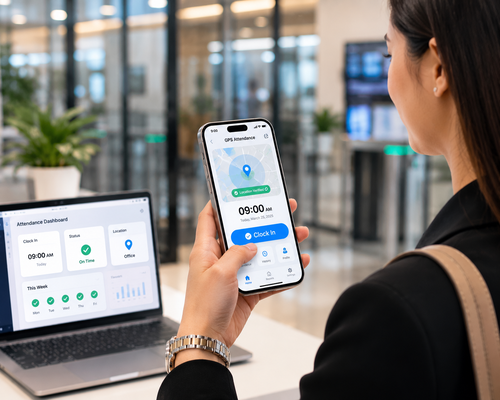
Buddy punching, forgotten cards, and manual timesheet errors continue to cost Malaysian businesses time and money. Facial recognition clocking is changing that by making the time attendance process faster, more secure, and significantly more accurate. This article explains how facial clocking technology works, why it improves attendance accuracy, and what businesses should consider before adopting it.
What Is Facial Clocking?
Facial clocking uses facial recognition technology to verify an employee’s identity at the point of clock-in and clock-out. Instead of swiping a card or entering a PIN, employees simply look at a device, which matches their face against a stored profile to record attendance instantly.
Why Accuracy Matters in Time Attendance
Inaccurate attendance records affect payroll calculations, overtime claims, and compliance with labour regulations. Even small discrepancies, when multiplied across dozens or hundreds of employees, can lead to significant payroll errors and disputes.
How Facial Clocking Improves Attendance Accuracy
1. Eliminates Buddy Punching
Unlike cards or PINs, a face cannot be shared or borrowed, which removes the common problem of one employee clocking in for another.
2. Reduces Manual Data Entry Errors
Facial clocking automatically records the exact time of attendance, removing the need for manual entry that is prone to typos and rounding errors.
3. Speeds Up the Clocking Process
Recognition typically takes less than a second, reducing queues at the clocking point during shift changes compared to card readers or fingerprint scanners that may require multiple attempts.
4. Provides an Audit-Ready Record
Every clock-in and clock-out event is logged with a timestamp and photo verification, creating a reliable audit trail for payroll and compliance reviews.
Facial Clocking vs Traditional Attendance Methods
| Method | Accuracy Risk | Speed | Hygiene |
|---|---|---|---|
| Manual sign-in sheet | High — prone to errors and fraud | Slow | Low (shared pen/paper) |
| Card/RFID punch | Medium — cards can be shared | Fast | Medium (shared card readers) |
| Fingerprint scanner | Low — accurate but can fail with wet/dirty hands | Moderate | Medium (physical contact) |
| Facial recognition | Very low — unique to each individual | Very fast | High (contactless) |
Key Features to Look For in a Facial Clocking System
- Fast recognition speed: Should process attendance in under a second per employee
- Mask and lighting tolerance: Performs reliably in varied lighting and with masks if needed
- Integration with payroll: Attendance data flows directly into payroll calculations
- Cloud-based reporting: Allows HR to review attendance remotely across multiple sites
- Data privacy safeguards: Secure storage of biometric data in compliance with data protection requirements
Step-by-Step: Implementing Facial Clocking in Your Workplace
Step 1: Register Employee Profiles
Capture each employee’s facial data during onboarding for the recognition system.
Step 2: Install Clocking Devices
Place devices at key entry points to minimize congestion during peak clocking times.
Step 3: Integrate With Payroll
Connect the attendance system to your payroll software so hours worked flow automatically into salary calculations.
Step 4: Monitor and Adjust
Review attendance reports regularly to catch any anomalies or device issues early.
Key Benefits at a Glance
- Accuracy: Removes buddy punching and manual entry errors
- Speed: Faster clock-in during peak hours
- Hygiene: Fully contactless process
- Compliance: Reliable audit trail for payroll and labour reviews
- Scalability: Works across multiple sites with centralized reporting
Conclusion
Facial clocking technology brings a meaningful improvement to time attendance accuracy by removing common sources of error such as buddy punching and manual data entry mistakes. Combined with payroll integration and centralized reporting, it gives businesses a faster, more reliable way to track employee attendance across one or multiple locations. Evaluating your current attendance process against these capabilities can reveal significant time and cost savings.
Frequently Asked Questions
1. Is facial clocking accurate in low-light conditions?
Modern facial recognition devices are designed to perform reliably across a range of lighting conditions, though placement near consistent lighting improves accuracy further.
2. Can facial clocking work with employees wearing masks?
Many current systems support mask-tolerant recognition, though accuracy can vary by device and vendor.
3. How is employee biometric data protected?
Reputable systems encrypt and securely store facial data, and businesses should confirm the vendor’s data protection practices before implementation.
4. Does facial clocking integrate with existing payroll systems?
Most facial clocking devices can export or sync attendance data directly with popular payroll and HR platforms.
5. Is facial clocking suitable for outdoor work sites?
Some devices are built with weatherproof housing for outdoor use, but it is worth confirming this specification if your work site is exposed to the elements.
Read the product overview here: http://www.smartouch.com.my/tms-time-management-system-singapore-malaysia/
Smart Touch technology pte ltd , www.smartouch.com.sg +65-63964767, sales@smartouch.com.sg , www.smartouch.com.my +607-3889903 sales@smartouch.com.my