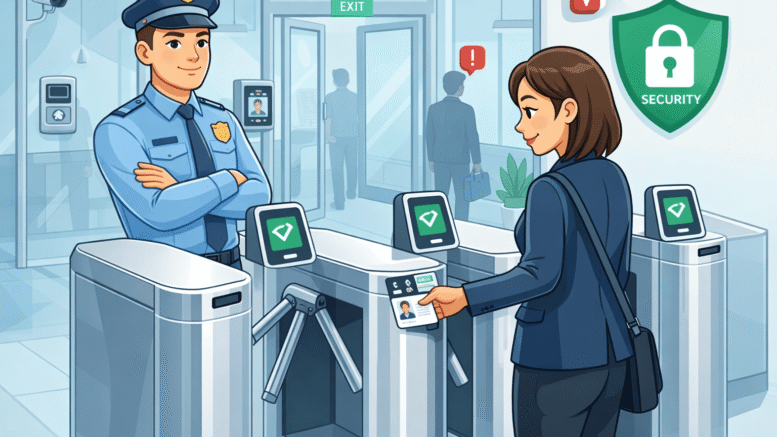
Office lobbies with high visitor traffic face a particular challenge: how do you check people in quickly without compromising security or professionalism? A manual sign-in book simply can’t keep up when dozens of guests, contractors, and delivery personnel pass through in a single morning. Kiosk-based visitor registration for busy office lobbies solves exactly this problem, turning a common bottleneck into a smooth, self-service process.
Why Busy Lobbies Need a Different Approach
Not every visitor management setup is designed for high volume. Lobbies with heavy foot traffic — corporate headquarters, business parks, government buildings — need a system that can handle multiple simultaneous check-ins without long queues forming.
The Queue Problem
When a single receptionist manually processes each visitor, queues form quickly during peak hours, creating a poor first impression and frustrating both guests and staff.
Inconsistent Record-Keeping
Manual logbooks are prone to illegible handwriting, incomplete entries, and missing checkout times — all of which become a problem if records are ever needed for security or compliance purposes.
Security Gaps
Without proper verification, it’s difficult to confirm a visitor’s identity or restrict access to only their intended destination within the building.
How Kiosk-Based Registration Solves This
Self-Service Check-In
Visitors register themselves at a touchscreen kiosk, entering details or scanning an ID, cutting check-in time significantly compared to manual processing.
Instant Host Notification
Once a visitor checks in, the system automatically notifies the host via SMS or email, eliminating the need for front-desk staff to make internal calls.
Printed or Digital Visitor Badges
Kiosks can print temporary badges with photos and access permissions, giving building security a clear, verifiable credential for each guest.
Multiple Kiosks for High-Volume Lobbies
Busy lobbies can deploy several kiosks simultaneously, allowing multiple visitors to check in at once rather than forming a single queue.
Key Benefits for High-Traffic Office Environments
- Faster check-ins — Multiple visitors can register simultaneously, eliminating single-queue bottlenecks.
- Consistent, searchable records — Digital logs are complete and easy to retrieve for audits or incidents.
- Improved security — ID verification and badge printing create a clear visitor trail.
- Reduced front-desk workload — Reception staff handle exceptions rather than routine check-ins.
- Professional first impression — A modern kiosk experience reflects well on the organisation.
Kiosk Registration vs. Manual Sign-In
| Factor | Manual Logbook | Kiosk-Based Registration |
|---|---|---|
| Check-in speed | Slow, one at a time | Fast, multiple kiosks possible |
| Record accuracy | Inconsistent | Digital, complete |
| Host notification | Manual phone calls | Automatic SMS/email |
| Security verification | Minimal | ID scanning, badge printing |
| Scalability for high traffic | Poor | Well-suited |
Best Practices for High-Traffic Lobbies
- Deploy multiple kiosks during peak hours to prevent queue formation.
- Position kiosks with clear sightlines from reception for staff oversight.
- Set up pre-registration for expected visitors to speed up on-the-day check-in.
- Configure host notifications to reduce delays in visitor pickup.
- Regularly review visitor logs for unusual patterns or security concerns.
Common Mistakes to Avoid
Installing Only One Kiosk in a High-Traffic Lobby
A single kiosk simply relocates the queue rather than eliminating it. For lobbies with heavy visitor volume, budgeting for multiple units from the start avoids this common oversight.
Overcomplicating the Check-In Flow
Adding too many form fields or verification steps slows down what should be a fast process. Keep the required information to what’s genuinely necessary for security and host notification purposes.
Forgetting About Checkout
Some organisations focus entirely on check-in and neglect to prompt visitors to check out, leaving inaccurate records of who is actually still on-site — a real problem during emergencies.
Not Testing Host Notification Reliability
If notifications don’t reach hosts promptly, visitors end up waiting in the lobby regardless of how fast check-in was. Test this thoroughly across different departments before full rollout.
Step-by-Step: Setting Up Kiosk Registration
- Assess peak visitor volume to determine how many kiosks you need.
- Choose a location near the entrance with good visibility and space for queuing if needed.
- Configure host notification settings for your organisation’s departments.
- Set up badge printing with appropriate access permissions per visitor type.
- Train front-desk staff to handle exceptions and technical issues.
Key Takeaways
Kiosk-based visitor registration for busy office lobbies addresses the specific challenge of high-volume check-ins by enabling self-service registration, instant host notification, and consistent digital record-keeping. For organisations with heavy visitor traffic, this isn’t just a convenience upgrade — it’s a practical solution to queue management and security consistency.
Conclusion
Busy lobbies need visitor management that scales with foot traffic, not systems designed for occasional guests. Kiosk-based visitor registration for busy office lobbies delivers exactly that — faster check-ins, better security records, and less strain on front-desk staff during peak periods. For organisations receiving a steady stream of visitors, contractors, and partners, this upgrade pays off quickly in both efficiency and professionalism.
Want to see how this fits your organization? Click here to request a free demo: https://www.smartouch.com.my/vms-visitor-management-system/.
FAQ
1. How many kiosks does a busy lobby typically need?
This depends on peak visitor volume, but high-traffic lobbies often benefit from multiple kiosks to prevent queues during busy periods.
2. Can kiosks notify hosts automatically when a visitor arrives?
Yes, most kiosk-based systems send automatic notifications via SMS or email as soon as a visitor completes check-in.
3. Is visitor data from kiosks secure?
Reputable systems store visitor data securely and allow organisations to control retention periods in line with data protection practices.
4. Can the system print visitor badges on-site?
Yes, many kiosks include badge printing capability, often including photos and access permissions specific to each visitor.
5. Do kiosks work well for pre-registered visitors too?
Yes, pre-registration can further speed up check-in, allowing expected visitors to complete the process even faster upon arrival.
Smart Touch technology pte ltd , www.smartouch.com.sg +65-63964767, sales@smartouch.com.sg , www.smartouch.com.my +607-3889903 sales@smartouch.com.my