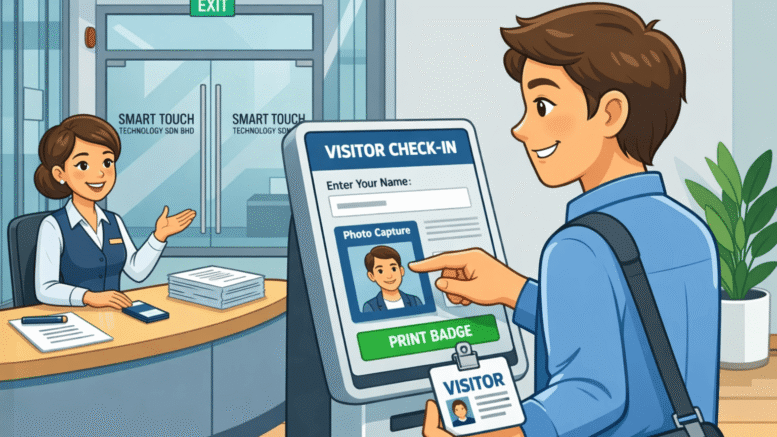
Cyberjaya’s mix of tech companies, corporate offices, and business parks means a steady flow of visitors, contractors, and delivery personnel passing through building lobbies every day. A paper visitor logbook at the front desk cannot keep pace with that volume, and it leaves a security gap that modern offices can no longer afford. A visitor management system replaces the logbook with digital registration, ID verification, and host notification, giving front desk staff and security teams a clear, searchable record of exactly who is in the building. This article looks at what a visitor management system does, the features that matter most for offices in Cyberjaya, and how to choose the right setup for your building.
Why Cyberjaya Offices Are Moving Away from Paper Logbooks
High Visitor Volume Overwhelms Manual Sign-In
Business parks and tech campuses in Cyberjaya see a constant stream of client meetings, vendor visits, and interview candidates. A single receptionist manually writing down names and calling hosts by phone quickly becomes a bottleneck during busy periods.
Paper Records Offer No Real Security Value
Anyone can write an illegible name and a fake company on a sign-in sheet, and there is no way to verify identity or flag a returning visitor who was previously denied entry. In the event of an incident, a paper log offers little useful information.
Multi-Tenant Buildings Need Centralized Visitor Data
Office buildings with multiple companies sharing a lobby need a consistent way to track visitors across every tenant, something a single paper logbook per company cannot provide building-wide security teams.
Key Features of a Kiosk-Based Visitor Management System
Self-Service Kiosk Registration
Visitors register themselves at a lobby kiosk by entering their details, taking a photo, and selecting who they are visiting, removing the need for a staff member to manually process every arrival.
Automatic Host Notification
As soon as a visitor checks in, the system sends an instant notification to the host employee, so there is no need for the front desk to call around the office trying to locate the right person.
Printed Visitor Badges
The kiosk prints a badge with the visitor’s name, photo, and host, making it easy for staff throughout the building to identify who belongs and who does not at a glance.
Benefits for Offices and Business Parks in Cyberjaya
Faster Check-In During Peak Hours
Multiple kiosks can process visitors simultaneously, which matters during busy periods like the start of a conference or a shift change at a shared business park, when dozens of people may arrive within minutes of each other.
A Complete, Searchable Visitor History
Every check-in is stored digitally, so security teams can search for a specific visitor, date, or host in seconds rather than flipping through pages of a physical logbook.
A More Professional First Impression
A modern check-in kiosk signals a well-run, professional office to clients and business partners, which matters for companies in a competitive tech hub like Cyberjaya where first impressions carry weight.
Choosing the Right Visitor Management Setup for Your Building
Match Kiosk Count to Lobby Traffic
A single-tenant office with low visitor traffic may only need one kiosk, while a shared business park lobby serving multiple companies will likely need several to avoid queues forming during busy periods.
Consider Integration With Building Access Control
If your building already uses a card or biometric access control system, check whether the visitor kiosk can issue temporary access credentials directly, rather than requiring a separate manual process to grant lift or door access.
Plan for Pre-Registration of Expected Visitors
Hosts should be able to pre-register expected visitors ahead of time, so regular clients or scheduled interview candidates can check in faster and security staff know who to expect that day.
Key Takeaways
A kiosk-based visitor management system replaces slow, unreliable paper logbooks with self-service registration, instant host notification, and a searchable digital record of every visitor. For offices and business parks in Cyberjaya, matching kiosk count to actual lobby traffic and integrating with existing access control makes the rollout more effective from day one.
Conclusion
Visitor management is one of the easiest security upgrades an office can make, and the impact is immediate: shorter queues at the front desk, a professional first impression for guests, and a reliable digital record that a paper logbook could never provide. For fast-growing business parks and office buildings across Cyberjaya, a kiosk-based system is a practical way to keep pace with visitor volume without adding headcount at reception. If your building is still relying on a sign-in sheet, it may be time to see how much a digital kiosk could simplify the front desk.
Want to see how this fits your organization? Click here to request a free demo: https://www.smartouch.com.my/vms-visitor-management-system/
Smart Touch technology pte ltd , www.smartouch.com.sg +65-63964767, sales@smartouch.com.sg , www.smartouch.com.my +607-3889903 sales@smartouch.com.my
Frequently Asked Questions
How long does it take a visitor to check in at the kiosk?
A typical check-in takes well under a minute, since visitors simply enter basic details, take a photo, and select their host before receiving a printed badge.
Can the system notify hosts by more than one method?
Most systems support multiple notification channels, such as email, SMS, or an internal messaging app, so hosts can be reached quickly regardless of where they are in the building.
Is visitor data stored securely?
Reputable visitor management platforms store data on encrypted, access-controlled systems, and it is worth confirming the vendor’s data retention and privacy practices before deployment, especially for buildings handling sensitive corporate visitors.
Can the kiosk handle deliveries and contractors, not just visitors?
Yes, most systems allow different registration flows for visitors, delivery personnel, and contractors, each with its own check-in process and, where needed, different levels of building access.
Visitor Management as Part of a Broader Security Strategy
A visitor kiosk works best when it is treated as one piece of a building’s overall security setup rather than a standalone gadget at the front desk.
Watchlist Screening at Check-In
Some systems can automatically flag a visitor against a watchlist during registration, alerting front desk or security staff before the person proceeds further into the building rather than after the fact.
Emergency Evacuation Reporting
In an emergency, having a real-time list of everyone currently checked in, visitors included, gives building management an accurate headcount for evacuation purposes that a paper logbook simply cannot provide.
NDA and Policy Acknowledgment at Check-In
For offices that require visitors to sign a non-disclosure agreement or acknowledge site safety rules, the kiosk can present and capture that acknowledgment digitally as part of check-in, replacing a separate paper form.