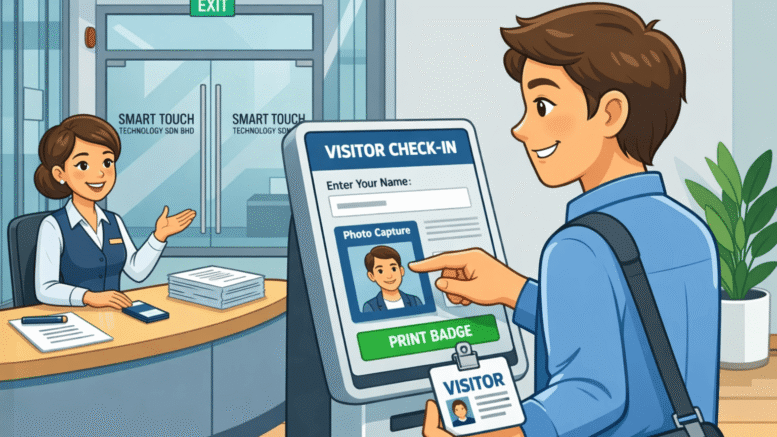
Front desk teams in Penang still relying on paper visitor logbooks face a familiar problem: slow check-ins, lost records, and no way to know who is actually in the building during an emergency. A modern visitor management system Penang businesses are adopting replaces the logbook with a digital, secure, and searchable check-in process.
This guide explains how a visitor management system works, why Penang businesses are switching to digital check-in, and what features matter most when choosing a provider.
Why Penang Businesses Need a Visitor Management System
Penang’s mix of manufacturing plants, tech parks, and corporate offices means a steady flow of vendors, contractors, and guests every day. Manual sign-in books cannot keep up with security, compliance, or health screening needs.
Problems with Paper-Based Visitor Logs
- Illegible handwriting and incomplete entries
- No real-time view of who is currently on-site
- Difficult to search past visitor records during audits
- No automated notification to the host employee
How a Visitor Management System Works
Visitors check in using a self-service kiosk, tablet, or QR code at reception. The system captures their details, prints a badge if needed, and automatically notifies the host employee that their guest has arrived.
Core Components
A typical setup includes a check-in kiosk or tablet, ID or QR code scanning, host notification via SMS or app, and a cloud dashboard showing all visitors in real time.
Key Benefits of a Visitor Management System
Faster, Professional Check-In
Digital check-in takes seconds compared to filling out a paper form, creating a better first impression for clients and partners.
Improved Security and Compliance
Every visitor is logged with accurate timestamps, photo capture, and host details, making audits and security reviews far easier.
Real-Time Emergency Roll Call
In an evacuation, security teams can instantly see who is on-site, which is impossible with a paper logbook.
Key Features to Look For
| Feature | Why It Matters |
|---|---|
| Self-service kiosk or tablet check-in | Speeds up front desk operations |
| Host notification | Alerts employees the moment their guest arrives |
| Badge printing | Improves on-site security identification |
| Real-time visitor dashboard | Shows who is currently in the building |
| Pre-registration | Lets hosts invite guests in advance for faster check-in |
Visitor Management System vs Paper Logbook
| Function | Paper Logbook | Visitor Management System |
|---|---|---|
| Check-in speed | Slow, manual entry | Fast, self-service |
| Data accuracy | Often illegible or incomplete | Digitally captured and accurate |
| Emergency roll call | Not possible in real time | Instant, live dashboard |
| Record search | Manual page-by-page search | Searchable digital database |
Best Practices for Implementation
- Map your current visitor and contractor check-in process before choosing a system.
- Decide whether you need self-service kiosks, tablets, or QR-based check-in.
- Set up host notification rules so employees are alerted instantly.
- Train reception and security staff on handling exceptions.
- Review visitor data regularly for security and compliance reporting.
Key Takeaways
- Digital check-in is faster and more professional than paper logs
- Real-time visitor dashboards improve security and emergency readiness
- Host notifications reduce wait times for guests
- Searchable records simplify audits and compliance reviews
Choosing the Right Provider in Penang
Look for a vendor with local support, proven deployments in Penang’s industrial and office parks, and flexible hardware options such as kiosks, tablets, or QR check-in. Multi-building campuses should prioritise centralised dashboards across all entrances.
Conclusion
A digital visitor management system gives Penang businesses faster check-ins, better security, and accurate visitor records without the hassle of a paper logbook. For companies still relying on manual sign-in sheets, upgrading to a visitor management system is a practical step toward a safer, more professional front desk.
Frequently Asked Questions
Is a visitor management system suitable for small offices?
Yes. Many providers offer simple tablet-based check-in suitable for smaller reception areas.
Can it notify hosts automatically?
Yes, most systems send an SMS, email, or app notification the moment a visitor checks in.
Does it support pre-registration for expected guests?
Yes, hosts can pre-register visitors so check-in is even faster on arrival.
Is visitor data stored securely?
Reputable systems store visitor data on secure cloud servers with access controls for authorised staff only.
How long does installation take?
A single-location setup can often be completed within a few days.
Want to see how this fits your organization? Click here to request a free demo: https://www.smartouch.com.my/vms-visitor-management-system/.
Smart Touch technology pte ltd , www.smartouch.com.sg +65-63964767, sales@smartouch.com.sg , www.smartouch.com.my +607-3889903 sales@smartouch.com.my