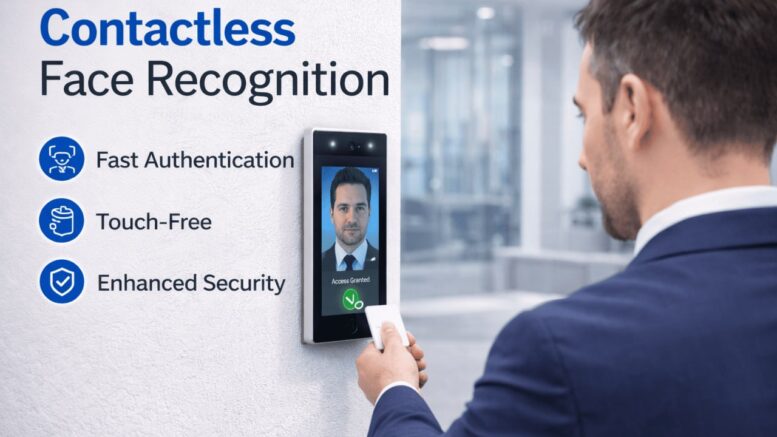
Data centers and server rooms hold some of the most sensitive assets in any organisation — servers, network infrastructure, backup systems, and confidential data. A single unauthorised entry can result in data breaches, equipment tampering, or costly downtime. Traditional access methods like keys or basic access cards are often not enough for this level of risk, which is why many organisations are moving to face recognition entry systems for data center and server room access control.
Why Server Rooms Need Stronger Access Control Than Standard Doors
Unlike a general office entrance, server room access needs to answer a stricter question: not just “is this card valid,” but “is this specific authorised individual physically present.” Common risks with traditional access methods include:
- Card Sharing — an employee lends their access card to someone else
- Lost or Stolen Cards — a lost card can be used by anyone who finds it
- Tailgating — an unauthorised person follows an authorised employee through the door
- No Strong Identity Verification — a valid card does not confirm who is actually entering
Face recognition directly addresses the identity verification gap, since access is tied to a unique biometric identifier rather than a physical object that can be shared, lost, or stolen.
How Face Recognition Entry Works for Restricted Areas
- Enrolment — authorised personnel are registered in the system with a facial profile.
- Access Request — the individual approaches the server room door and the camera captures their face.
- Real-Time Matching — the system compares the captured face against enrolled profiles.
- Access Decision — if matched and authorised for that specific door and time window, the door unlocks.
- Access Logging — every entry attempt, successful or denied, is logged with a timestamp and identity match.
Key Benefits for Data Centers and Server Rooms
- Stronger Identity Assurance — access is tied to the individual, not a card or PIN that can be shared
- Reduced Tailgating Risk — when combined with door interlocks or one-person-at-a-time access, face recognition reduces the chance of unauthorised follow-through entry
- Detailed Audit Trail — every access event is logged with identity, time, and door, supporting compliance and incident investigation
- No Card Management Overhead — no need to issue, replace, or deactivate physical cards for this specific access point
- Time and Zone Restrictions — access can be limited to specific personnel during specific hours, rather than a blanket “valid card = access” model
Recommended Layered Security for Server Rooms
Face recognition works best as one layer within a broader security approach, rather than the only control:
| Layer | Purpose |
|---|---|
| Face Recognition Entry | Verifies individual identity at the door |
| CCTV Monitoring | Provides continuous visual record of the room and entrance |
| Access Logging | Creates a searchable audit trail of every entry |
| Door Interlock/Mantrap | Prevents tailgating by controlling one entry at a time |
| Environmental Monitoring | Tracks temperature, humidity, and physical conditions inside the room |
| Alarm Integration | Alerts security teams to unauthorised access attempts |
Face Recognition vs Card-Based Access for Server Rooms
| Card-Based Access | Face Recognition Access |
|---|---|
| Can be shared or lent | Tied to a specific individual |
| Can be lost or stolen | Cannot be physically lost |
| Confirms the card is valid | Confirms the person’s identity |
| Requires card management | No physical credential to manage |
| Vulnerable to tailgating without extra controls | Stronger identity check at each entry |
What to Consider Before Implementing Face Recognition for Restricted Areas
1. Accuracy and Reliability
The system should be tested for accurate matching under the room’s actual lighting conditions and camera placement.
2. Data Privacy Compliance
Facial data is sensitive personal data; organisations should have clear policies on enrolment, storage, and retention in line with Malaysia’s Personal Data Protection Act.
3. Integration with Existing Security Systems
Face recognition entry should ideally connect with CCTV, alarm systems, and access logging for a complete security picture rather than operating in isolation.
4. Fallback Access Method
A backup verification method (e.g., a supervisor-approved manual override) should exist for edge cases, without weakening the primary control.
Why Choose Smart Touch Technology’s Face Recognition and Access Solutions
Smart Touch Technology offers face recognition systems as part of its broader access control and security portfolio, alongside fingerprint, proximity card, and door access solutions used across Malaysian offices, factories, and restricted facilities. This allows organisations to apply stronger identity-based access control specifically to high-risk areas like server rooms, while using other access methods at lower-risk entrances — all managed through the same platform.
Face recognition access can also be considered alongside Smart Touch’s CCTV camera systems for a layered approach, giving security teams both identity verification at the door and continuous visual monitoring of the restricted area.
Conclusion
Server rooms and data centers hold assets that justify stronger access control than a standard office door. Face recognition entry addresses the core weakness of card-based access — the inability to confirm who is actually entering — by tying access directly to verified identity. Combined with CCTV, access logging, and door interlocks, it forms a strong layered security approach for Malaysia’s most sensitive facilities. Smart Touch Technology helps organisations design access control solutions matched to the actual risk level of each area.
Smart Touch Technology, 36-02 & 36-03, Jalan Permas 10, Bandar Baru Permas Jaya, 81750 Masai, Johor, Malaysia. +607-388 9903 / +6011-5354 9903, sales@smartouch.com.my, www.smartouch.com.my