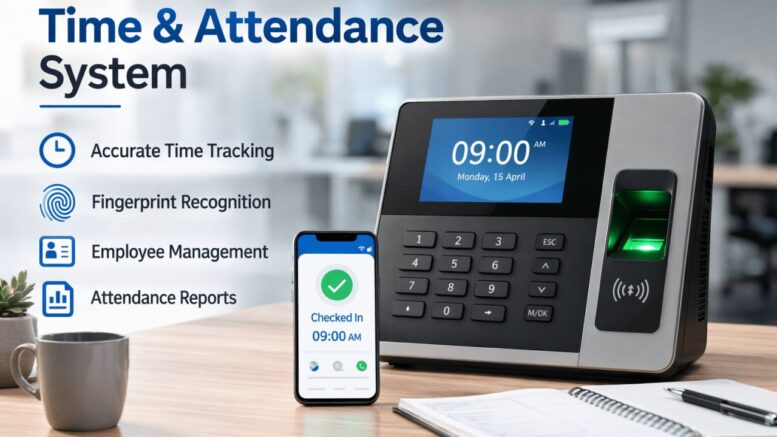
Hybrid and remote work have become permanent fixtures for many Malaysian companies, but most traditional time attendance systems were designed around a single assumption: employees clock in at a fixed office location every day. When part of the workforce works from home, client sites, or rotates between office days, that assumption breaks down — and HR teams are left without a reliable way to track attendance, hours, and availability.
A time attendance system built for hybrid and remote teams needs to work regardless of where the employee is physically located, while still giving HR the verification and reporting they need.
Why Traditional Attendance Systems Fall Short for Hybrid Teams
Fixed biometric terminals and card readers assume a single physical entry point. For hybrid and remote employees, this creates gaps:
- No Way to Clock In Remotely — a fingerprint or card terminal only works at the office
- Unverifiable Self-Reported Hours — remote days are often just noted manually with no verification
- Inconsistent Records — office days are tracked digitally, remote days are tracked (or not tracked) manually
- Difficulty Managing Rotational Schedules — hybrid teams often rotate which days they’re in-office, which fixed systems don’t easily accommodate
What a Hybrid-Ready Attendance System Needs
- Mobile App Clock-In/Out — allows employees to log attendance from any location
- Location Awareness (Optional) — GPS or IP-based confirmation for remote clock-ins where verification matters
- Office Terminal Support — still supports biometric, card, or QR clock-in for in-office days
- Unified Records — office and remote attendance recorded in the same system, not separate spreadsheets
- Shift and Schedule Flexibility — supports rotating hybrid schedules rather than assuming a fixed daily pattern
- Leave and Attendance Sync — remote work days, leave, and office days are all visible on one calendar view
How It Works in Practice
- Employees Select Their Work Mode — office, remote, or field, depending on the day’s schedule.
- Clock-In Method Adjusts Accordingly — biometric or card terminal for office days, mobile app for remote or field days.
- Attendance Data Consolidates Centrally — regardless of clock-in method, all records feed into one attendance dashboard.
- Exceptions Are Flagged — late clock-ins, missed remote check-ins, or schedule mismatches are surfaced automatically.
- Data Flows to Payroll and Reporting — consolidated attendance, whether office or remote, is used for payroll and leave calculations.
Key Features to Look For
| Feature | Why It Matters for Hybrid Teams |
|---|---|
| Mobile App Attendance | Works for employees not physically at a fixed office |
| Office Terminal Compatibility | Still supports biometric/card check-in for in-office days |
| Unified Dashboard | One view for both office and remote attendance |
| Schedule Flexibility | Accommodates rotating or variable hybrid schedules |
| Exception Alerts | Flags missed or inconsistent clock-ins automatically |
| Payroll Integration | Converts consolidated attendance directly into payroll input |
Benefits for HR and Management
For HR Teams A single source of truth for attendance regardless of work location, removing the need to manually reconcile office records with remote self-reports.
For Managers Clear visibility into who is working from where on any given day, useful for planning meetings, coverage, and team coordination.
For Employees A simple, consistent way to log attendance whether they’re in the office, at home, or on-site with a client — without needing to remember different processes for different days.
For Payroll Consolidated, verified attendance data that flows into payroll processing without needing separate manual entries for remote days.
Fixed vs Hybrid-Ready Attendance Systems
| Fixed Office Attendance System | Hybrid-Ready Attendance System |
|---|---|
| Requires physical presence at a terminal | Works via mobile app from any location |
| No support for remote clock-in | Built-in remote and field attendance capture |
| Manual tracking for remote days | Digital, verified records for all work modes |
| Separate systems for office vs remote | One unified attendance dashboard |
| Struggles with rotating schedules | Designed for flexible, variable schedules |
Why Choose Smart Touch Technology for Hybrid Attendance Management
Smart Touch Technology’s Smartime and PAL (Payroll, Attendance and Leave) systems support multiple attendance capture methods — including mobile app-based clock-in — alongside traditional biometric facial, fingerprint, and card options for office-based staff. This allows hybrid organisations to keep a single attendance platform that works whether an employee is checking in at the office turnstile or logging attendance remotely through the mobile app.
Because attendance data across all capture methods flows into the same PAL system, HR teams get one consolidated view of attendance, late/absent exceptions, and shift or overtime summaries — regardless of whether staff worked from the office or remotely that day.
Conclusion
Hybrid and remote work require an attendance system that doesn’t assume everyone clocks in at the same physical location every day. By supporting mobile clock-in alongside traditional office terminals, and consolidating all attendance data into one dashboard, businesses can maintain accurate, verifiable attendance records regardless of where their teams are working. Smart Touch Technology’s Smartime and PAL systems give Malaysian businesses a flexible foundation for managing attendance across hybrid, remote, and office-based teams.
Smart Touch Technology, 36-02 & 36-03, Jalan Permas 10, Bandar Baru Permas Jaya, 81750 Masai, Johor, Malaysia. +607-388 9903 / +6011-5354 9903, sales@smartouch.com.my, www.smartouch.com.my