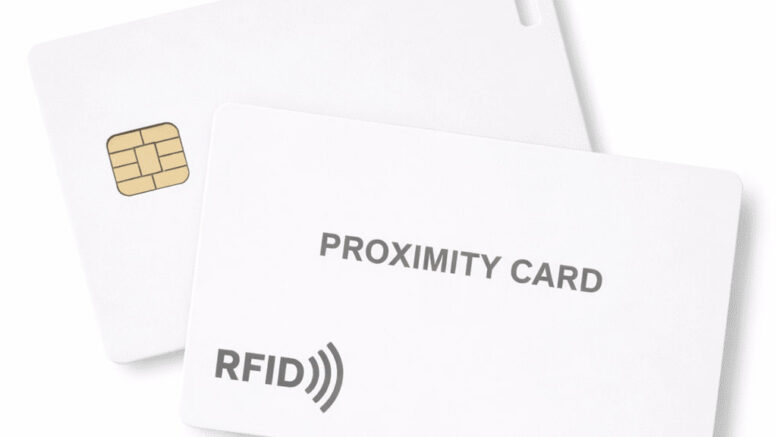
Access cards are essential tools in modern facility management, providing secure entry to buildings, offices, and restricted areas. However, what happens when your card is lost, damaged, or stops working? For many organisations across Malaysia, the answer lies in backup access card cloning—a practical solution that ensures minimal disruption to operations and maintains security protocols.
In this article, we explore how card cloning technology can serve as a backup solution for organisations dealing with lost or damaged access cards, and why having a reliable system in place is crucial for business continuity.
Understanding Access Card Loss and Damage
Access cards are portable items that employees carry daily. Despite their durability, cards can be lost, stolen, or damaged through various circumstances:
- Accidental loss during travel or off-site work
- Damage from exposure to extreme heat, moisture, or physical impact
- Magnetic stripe or chip degradation over time
- Theft or unauthorised removal
- Wear and tear from regular use in challenging environments
When a card fails, employees cannot access their workspaces, creating operational delays and frustration. Traditional replacement procedures can take days or even weeks, disrupting productivity and requiring temporary workarounds that may compromise security.
What Is Access Card Cloning?
Access card cloning refers to the process of duplicating the data and credentials stored on an existing access card onto a replacement card. Rather than recreating credentials from scratch in your system, cloning transfers all necessary access permissions directly to a new physical card.
This approach offers a faster alternative to standard replacement procedures, allowing employees to regain immediate access to their facilities whilst formal administrative processes continue in the background.
How Card Cloning Works
The cloning process typically involves:
- Reading the data from an existing authorised card (or a backup card on file)
- Using specialised equipment to write that data onto a new blank card
- Verifying the cloned card functions properly with your access control system
- Issuing the cloned card to the employee
The speed of this process depends on your organisation’s procedures and the technology used, but modern systems can complete cloning in minutes rather than days.
Benefits of Having a Backup Card Cloning Solution
Rapid Employee Access Restoration
When an employee’s card is lost or damaged, a backup cloning solution allows them to regain access quickly. Instead of waiting for a full administrative replacement process, they can receive a functional clone within hours.
Reduced Operational Disruption
Lost access cards can disrupt entire teams. Employees unable to enter their workspaces cannot perform their duties effectively. A reliable backup cloning system minimises downtime and keeps operations running smoothly.
Enhanced Security Control
Rather than implementing temporary, less secure workarounds (such as shared access or escort procedures), organisations can maintain their established security protocols whilst quickly restoring individual access rights.
Cost Efficiency
Whilst establishing a backup cloning capability requires initial investment in equipment and training, it can reduce overall costs by streamlining the replacement process and minimising lost productivity.
Improved Employee Satisfaction
Employees appreciate quick resolution to access problems. A responsive backup system demonstrates that the organisation values their time and understands the impact of access disruptions.
Implementation Considerations for Malaysian Organisations
Security Protocols
Before implementing card cloning, establish clear security protocols:
- Require proper identification verification before cloning any card
- Maintain detailed records of all cloning activities
- Limit cloning access to authorised personnel only
- Implement audit trails to track who cloned cards and when
- Establish procedures for revoking access if a card is stolen rather than simply lost
System Compatibility
Ensure your chosen cloning solution is compatible with your existing access control system. Different technologies—such as proximity cards, smart cards, or biometric systems—have different cloning requirements and limitations.
Training and Documentation
Staff responsible for managing card cloning must receive proper training. Clear documentation of procedures helps maintain consistency and reduces errors.
Verification With Relevant Authorities
Depending on your industry and the facilities you manage, certain regulations or standards may apply to access control systems. We recommend verifying current requirements with relevant Malaysian authorities to ensure your backup cloning procedures remain compliant.
How Smart Touch Technology Supports Access Card Solutions
Smart Touch Technology offers clone card solutions designed to support organisations managing access control systems. Our products enable reliable card duplication, helping facilities maintain operational efficiency when access cards are lost or damaged.
By implementing Smart Touch Technology’s clone card systems, Malaysian organisations can establish a practical backup solution that reduces downtime, maintains security standards, and provides employees with rapid access restoration.
Our systems are designed with business continuity in mind, allowing your team to manage replacement cards more effectively without compromising on security or control.
Best Practices for Card Loss Prevention
Whilst a backup cloning solution addresses problems after they occur, prevention remains valuable:
- Educate employees about proper card care and storage
- Implement a lost-and-found process for misplaced cards
- Provide card holders or protective cases to reduce physical damage
- Conduct regular system audits to identify and deactivate unreturned cards
- Establish a clear reporting procedure when cards are lost or suspected stolen
Backup Card Cloning and Business Continuity
In today’s operational environment, access control is fundamental to facility security and daily operations. A comprehensive approach to managing lost or damaged cards—including backup cloning capabilities—forms part of a broader business continuity strategy.
Organisations that plan for access disruptions experience fewer operational delays and maintain better security practices than those relying on ad-hoc solutions.
Getting Started With Clone Card Solutions
If your organisation frequently handles lost or damaged access cards, it may be time to evaluate whether a backup cloning system would benefit your operations. Consider:
- The frequency of card replacement requests in your facility
- Current replacement timelines and associated costs
- Security requirements and compliance standards
- Available budget for implementation
- Staff capacity for managing the cloning process
Smart Touch Technology can help you assess your access card management needs and explore how clone card solutions might improve your operations. Contact our team to discuss your facility’s specific requirements and discover how we can support your access control strategy.
Conclusion
Lost or damaged access cards represent a common operational challenge for Malaysian organisations. Backup access card cloning provides a practical solution that reduces downtime, maintains security standards, and improves employee experience.
By implementing a reliable clone card system alongside strong security protocols and prevention practices, organisations can manage access disruptions more effectively and maintain seamless facility operations.
Smart Touch Technology’s clone card solutions are designed to support Malaysian businesses in achieving this goal. Whether you’re managing a small office or a large facility, our systems offer practical support for your access control needs.
Interested in learning how backup card cloning can benefit your organisation? Reach out to Smart Touch Technology today to discuss your access card management requirements and explore solutions tailored to your facility’s needs.