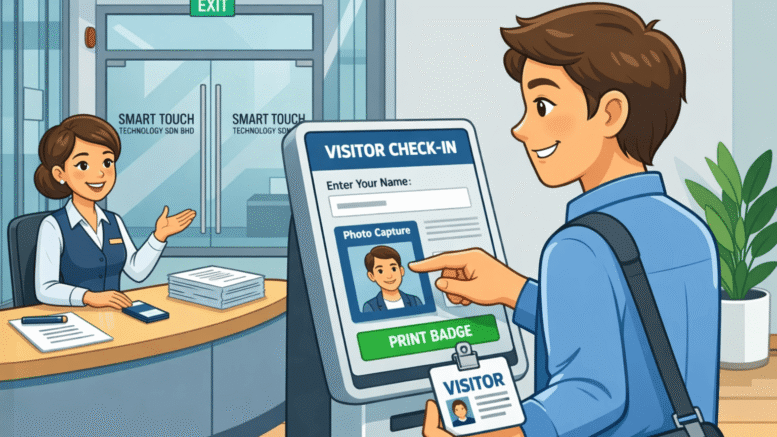
A professional visitor experience begins at the reception desk, security counter, lobby, guardhouse, or front office. Every organization needs to know who is entering the premises, why they are visiting, who they are meeting, and when they leave. For many companies, the traditional paper visitor logbook has been used for years, but it is no longer the most secure, efficient, or professional way to manage visitors. Today, digital visitor logs powered by a VMS for desktop computers provide a smarter and more reliable solution.
A desktop-based Visitor Management System, often known as a VMS, allows receptionists, administrators, and security personnel to register visitors directly from a computer. It replaces handwritten records with a structured digital system that captures visitor details, stores visit history, notifies hosts, prints visitor passes, tracks check-in and check-out times, and generates accurate reports.
For offices, factories, schools, hospitals, commercial buildings, condominiums, logistics facilities, government departments, and industrial sites, digital visitor logs offer a more professional way to manage daily visitor traffic. A desktop VMS is especially suitable for organizations that prefer a controlled front-desk workflow, where trained reception or security staff manage visitor registration from a fixed workstation.
What Are Digital Visitor Logs?
Digital visitor logs are electronic records of visitors entering and leaving a building or facility. Instead of writing names, phone numbers, company details, and visit purposes in a paper book, visitor information is entered into a digital visitor management system.
A digital visitor log can record important details such as visitor name, company, contact number, identification information, vehicle number, host name, department, visit purpose, arrival time, departure time, visitor photo, and badge number. These records can be searched, filtered, exported, and reviewed whenever needed.
When powered by a desktop VMS, digital visitor logs become even more practical for front-desk operations. Staff can manage visitor registration through a computer screen, verify information, print badges, and monitor visitor status from one centralized interface.
This makes the visitor management process faster, cleaner, safer, and easier to control.
Why Desktop-Based Visitor Management Still Matters
Many modern visitor systems use tablets, kiosks, mobile apps, or QR codes. These tools are useful, but a desktop-based VMS remains one of the best choices for many organizations because it gives staff more control over the check-in process.
At busy reception counters and security desks, desktop computers are often already part of the daily workflow. Receptionists use them to answer calls, check schedules, confirm appointments, manage emails, and communicate with staff. Adding a desktop visitor management system creates a natural and efficient workflow.
A desktop VMS is ideal when visitor registration requires staff verification. For example, a factory may need security guards to check contractor documents before entry. A corporate office may require receptionists to confirm appointments before printing visitor passes. A hospital may need staff to direct visitors to specific departments. A school may require additional verification before allowing entry.
Unlike a fully self-service kiosk, a desktop VMS allows trained personnel to manage the process while still benefiting from digital speed and accuracy.
The Problem With Paper Visitor Logbooks
Paper visitor logbooks may appear simple, but they create many security and administrative problems.
First, handwritten records can be difficult to read. Visitors may write incomplete names, unclear phone numbers, or vague company information. If management needs to review a visitor record later, the information may not be useful.
Second, paper logbooks are slow to search. When a security incident, audit, complaint, or emergency occurs, staff may need to flip through many pages to find the right record. This wastes time and may delay response.
Third, privacy is a major concern. Visitors can often see the details of previous visitors written on the same page. Names, phone numbers, identification numbers, company names, and visit purposes may be exposed to others.
Fourth, paper records cannot provide real-time information. A logbook cannot automatically tell management how many visitors are currently inside the premises. It cannot send host notifications. It cannot print badges. It cannot generate reports instantly. It cannot prevent blacklisted visitors from entering.
Digital visitor logs solve these problems by giving organizations a structured, searchable, and secure way to manage visitor information.
Why Digital Visitor Logs Are Better for Security
Security begins with accurate visitor records. If an organization does not know who is inside the building, it cannot fully control access. Digital visitor logs make security stronger by capturing visitor information clearly and consistently.
A desktop VMS can ensure that all required fields are completed before check-in. This prevents missing information. Staff can verify the visitor’s purpose, host, company, and identification details before approving entry. Visitor photos can be captured and stored with the record. Badges can be printed to identify approved visitors inside the premises.
The system can also help detect repeat visitors, expired passes, incomplete check-outs, and restricted individuals. If a visitor is not allowed to enter, the system can alert the receptionist or security team.
For organizations with sensitive areas, digital visitor logs can also be connected with access control systems. This ensures visitors only access approved zones and only during the allowed time.
Key Features of the Best VMS for Desktop Computers
The best VMS for desktop computers should be easy to use, secure, flexible, and suitable for real reception or guardhouse operations. It should support efficient visitor registration while helping management maintain accurate records.
Fast Visitor Registration
Reception or security staff should be able to register a visitor quickly from the desktop interface. The system should allow fast entry of visitor details, host name, visit purpose, company, contact number, and vehicle information.
A well-designed interface reduces typing time and helps staff process visitors efficiently, especially during busy hours.
Visitor Photo Capture
A desktop VMS can connect with a webcam or camera to capture visitor photos during registration. This improves record accuracy and makes visitor identification easier.
Photo records are useful for offices, factories, schools, hospitals, commercial buildings, and high-security facilities.
Visitor Badge Printing
Visitor badges help identify authorized guests inside the building. A desktop VMS can connect to a badge printer and print visitor passes with the visitor’s name, company, photo, host, date, time, and access permission.
Badges can also include QR codes, barcodes, expiry times, or location restrictions, depending on the organization’s needs.
Host Notification
When a visitor arrives, the system can notify the host automatically. The notification may be sent by email, SMS, internal message, or system alert.
This reduces the need for receptionists to make manual phone calls and helps hosts respond faster.
Check-In and Check-Out Tracking
Digital visitor logs record both arrival and departure times. Staff can check visitors out from the desktop system when they leave. This gives management a clear view of who is currently inside the premises.
Check-out tracking is important for security, reporting, and emergency response.
Searchable Visitor History
A strong desktop VMS allows staff to search past visitor records by name, company, date, host, department, vehicle number, or visit purpose. This makes audits, investigations, and management reviews much easier.
Instead of searching paper books page by page, authorized users can find records within seconds.
Blacklist and Watchlist Alerts
The system can support blacklist or watchlist functions. If a restricted visitor attempts to register, the system can alert the security team immediately.
This feature is useful for commercial buildings, residential properties, schools, factories, and organizations with strict access rules.
Vehicle Registration
Many visitors arrive by car, motorcycle, van, lorry, or delivery vehicle. A desktop VMS can record vehicle numbers, vehicle type, parking location, driver details, and delivery purpose.
This is especially useful for factories, logistics centers, warehouses, condominiums, schools, and commercial buildings.
Contractor and Supplier Management
Contractors and suppliers often require additional tracking. A desktop VMS can record contractor company, work purpose, approval person, entry time, exit time, tools brought in, safety briefing status, and related documents.
This supports better control over external workers and service providers.
Report Generation
Management can generate visitor reports by date, host, department, visitor type, company, check-in status, or location. Reports help with security audits, compliance reviews, facility planning, and administrative control.
User Access Control
A secure VMS should allow different permission levels. Reception staff, security guards, HR personnel, facility managers, and administrators may need different access rights.
This helps protect visitor data and prevents unauthorized changes.
Benefits of Digital Visitor Logs for Organizations
Digital visitor logs provide practical benefits for security teams, receptionists, administrators, facility managers, business owners, and visitors.
Better First Impression
A professional digital check-in process creates a strong first impression. Visitors see that the organization is organized, modern, and serious about security.
A desktop VMS at the reception counter shows professionalism while keeping the process controlled by trained staff.
Faster Visitor Processing
Digital registration is faster than manual writing, especially when returning visitors can be searched and checked in quickly. Staff can retrieve previous visitor details and reduce repeated data entry.
Improved Data Accuracy
Typed information is easier to read and search than handwritten records. Required fields ensure important details are not missed.
Stronger Privacy Protection
Digital visitor records are not visible to other visitors. Access can be limited to authorized users, reducing privacy risks caused by open paper logbooks.
Reduced Administrative Work
Reception and security teams no longer need to manage physical logbooks, manually count visitors, prepare handwritten reports, or search old records. The system automates many routine tasks.
Better Emergency Preparedness
During an emergency, management can quickly view the list of visitors currently inside the premises. This supports evacuation, roll call, and safety procedures.
More Reliable Audit Records
Digital logs create a clear record of visitor activity. This helps organizations maintain accountability and respond more effectively during audits or investigations.
Desktop VMS for Corporate Offices
Corporate offices often receive clients, vendors, consultants, job candidates, auditors, and business partners. A desktop VMS helps receptionists manage these visitors professionally.
The system can record appointments, notify hosts, print badges, and track check-out times. This creates a smooth front-desk experience while improving workplace security.
For multi-tenant office buildings, a desktop VMS can also help route visitors to the correct company, floor, or department.
Desktop VMS for Factories and Industrial Sites
Factories often require stricter visitor control because they receive contractors, suppliers, drivers, inspectors, auditors, and service technicians. A desktop VMS at the guardhouse can help security personnel verify visitor details before entry.
The system can record vehicle numbers, contractor documents, safety declarations, host approval, and work purpose. It can also help monitor who is still inside the factory compound.
For industrial facilities, digital visitor logs improve safety, accountability, and operational control.
Desktop VMS for Schools and Education Centers
Schools must carefully manage visitors to protect students and staff. A desktop visitor management system can help front office staff register parents, guardians, vendors, maintenance workers, and visitors.
Visitor badges can be printed, host staff can be notified, and check-out records can be maintained. Digital logs also help school administrators review visitor history when needed.
Desktop VMS for Hospitals and Clinics
Hospitals and clinics receive many types of visitors, including patient family members, medical suppliers, contractors, consultants, and service providers. A desktop VMS helps organize visitor flow and maintain clear records.
It can support department-based registration, visitor passes, contractor tracking, and access control to sensitive areas. This improves security and administration.
Desktop VMS for Condominiums and Residential Buildings
Condominiums and residential buildings need to manage residents’ guests, delivery riders, renovation contractors, cleaners, agents, and service providers. A desktop VMS at the guardhouse allows security personnel to register visitors properly.
Vehicle numbers, resident unit numbers, visit purpose, entry time, and exit time can be recorded. This creates a safer and more organized residential environment.
Desktop VMS for Commercial Buildings
Commercial buildings often have multiple tenants and high visitor traffic. A desktop visitor management system can help reception or security teams direct visitors to the correct tenant, issue visitor badges, and maintain accurate building records.
For building management, digital logs provide better visibility and standardization across the property.
Why Desktop Computers Are Ideal for Controlled Visitor Registration
Desktop computers provide a stable and reliable platform for visitor registration. They are suitable for reception counters, guardhouses, management offices, and security rooms. Compared with mobile devices, desktop systems offer larger screens, easier typing, better printer connectivity, and more comfortable long-hour use.
A desktop VMS also works well for staff-assisted registration. This is important when the organization wants receptionists or guards to verify information before allowing entry. Staff can ask questions, confirm appointments, check visitor identity, print badges, and provide directions.
For locations with high-security requirements or complex visitor workflows, desktop-based visitor management gives more control than a simple self-service process.
How Digital Visitor Logs Support Smart Building Security
Digital visitor logs can become part of a larger smart building security ecosystem. When connected with access control, turnstiles, lift systems, CCTV, QR scanners, and facial recognition devices, the VMS helps manage visitor movement more effectively.
For example, a visitor can be registered at the reception desktop, issued a badge, and granted access only to a specific floor or meeting room. Once the visit ends, access can expire automatically. This improves security and reduces manual coordination.
Smart buildings need accurate data, and digital visitor logs provide essential visitor information for building operations.
Choosing the Best VMS for Desktop Computers
When choosing the best VMS for desktop computers, organizations should consider ease of use, security, customization, reporting, integration, and support.
The system should be simple for reception and security teams to operate. It should support the information fields required by the organization. It should allow visitor photo capture, badge printing, host notification, check-in and check-out tracking, blacklist alerts, and visitor reports.
The system should also protect visitor data with proper user permissions and access controls. For organizations that require stronger security, integration with access control systems, turnstiles, lift control, and QR code readers may be important.
Local support is also essential. A visitor management system is part of daily building operations, so businesses should work with a provider that can support installation, configuration, training, troubleshooting, and long-term maintenance.
Why Smart Touch Is a Trusted Choice for Digital Visitor Logs and Desktop VMS
Smart Touch provides practical workplace automation, access control, attendance, visitor management, canteen management, and smart security solutions. Our digital visitor logs and desktop VMS solutions are designed to help organizations manage visitors more securely, efficiently, and professionally.
Our system supports desktop visitor registration, visitor photo capture, badge printing, host notification, check-in and check-out tracking, vehicle recording, contractor management, blacklist alerts, reporting, and integration with access control where required.
We understand that every organization has different visitor workflows. A corporate office may focus on professional reception experience. A factory may need guardhouse control and contractor records. A school may require stricter visitor verification. A condominium may need vehicle and resident unit tracking. A hospital may need department-based visitor management. Our solution can be customized to match real operational needs.
With Smart Touch, organizations can replace paper logbooks with secure digital visitor logs and a reliable desktop visitor management system that supports daily operations with confidence.
The Future of Digital Visitor Logs
Visitor management is moving toward smarter, more connected, and more secure systems. Digital visitor logs will continue to replace paper books because they offer better privacy, faster searching, stronger reporting, and more accurate records.
Desktop VMS solutions will remain important for organizations that need staff-assisted registration and controlled visitor verification. At the same time, they can work together with QR code pre-registration, self-service kiosks, mobile approvals, facial recognition, and access control systems.
The future of visitor management will combine convenience with stronger security. Organizations that adopt digital visitor logs today are building a better foundation for safer and smarter premises management.
Conclusion: Digital Visitor Logs Are the Best VMS for Desktop Computers
Digital visitor logs powered by the best VMS for desktop computers provide a smarter, safer, and more professional way to manage visitors. They replace paper logbooks with accurate digital records, faster registration, better privacy, host notifications, badge printing, check-in and check-out tracking, and detailed reports.
For offices, factories, schools, hospitals, condominiums, commercial buildings, logistics centers, and government facilities, a desktop visitor management system gives reception and security teams the tools they need to manage visitors with confidence. It improves first impressions, strengthens security, reduces administrative work, and supports emergency preparedness.
For organizations ready to modernize visitor registration, Smart Touch offers reliable digital visitor logs and desktop VMS solutions designed to support secure, efficient, and professional visitor management.
Want to see how this fits your organization? Click here to request a free demo: https://www.smartouch.com.my/vms-visitor-management-system/.
Smart Touch technology pte ltd , www.smartouch.com.sg +65-63964767, sales@smartouch.com.sg , www.smartouch.com.my +607-3889903 sales@smartouch.com.my