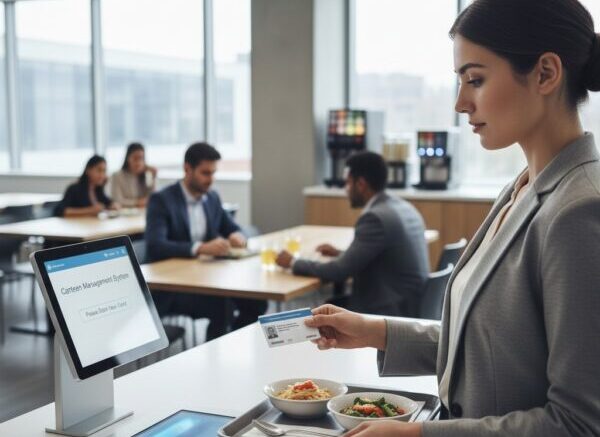
Choosing the right cafeteria management software is a significant decision. Whether you manage a corporate cafeteria, a school canteen, or an industrial food service operation, the right system can dramatically improve efficiency, reduce costs, and enhance the experience for everyone who uses your dining facility.
This guide covers the essential features, questions to ask vendors, and key factors to evaluate before making your purchase decision.
What Does Cafeteria Management Software Do?
Cafeteria management software is an integrated digital platform that handles the operational, financial, and administrative functions of a cafeteria or canteen. At its core, it manages transactions, tracks inventory, administers meal plans or subsidies, and generates operational reports — replacing the manual processes that slow down modern food service operations.
Most systems combine point-of-sale (POS) terminals, cashless payment infrastructure, back-office management tools, and reporting dashboards into a single connected platform.
Core Features to Look For
Point-of-Sale System
A fast, reliable POS is the centrepiece of any cafeteria system. Look for touchscreen interfaces, fast transaction processing, and support for multiple payment methods including RFID cards, biometric authentication, and QR codes.
Cashless Payment Support
Cash-handling creates friction, errors, and theft risk. A good cafeteria system eliminates cash by supporting prepaid accounts, RFID smart cards, or employee badge payments. Look for systems that allow account top-ups online, at kiosks, or via payroll deduction.
Meal Subsidy Administration
If your organisation provides meal subsidies, the system should allow flexible subsidy rules — daily limits, per-meal caps, eligible items, and eligible time windows — to ensure the benefit is used as intended.
Inventory and Menu Management
Track ingredient usage in real time, manage supplier orders, and update menus easily. Systems that link menu items to ingredient consumption provide powerful insights for reducing food waste and controlling costs.
Multi-Counter and Multi-Vendor Support
Many cafeterias have multiple food stalls or counters. The system should support independent menus per counter while sharing a single payment platform — so employees swipe once and the correct vendor is credited automatically.
Reporting and Analytics
Detailed reports on sales, popular items, peak times, subsidy usage, and food costs are essential for managing a cafeteria profitably. Look for systems with customisable reports and data export capabilities.
HR and Payroll Integration
Integration with your HR system ensures that new employees are automatically added, resigned employees are immediately deactivated, and meal deductions are passed to payroll seamlessly.
Key Questions to Ask Before Buying
| Question | Why It Matters |
|---|---|
| Does the system support the payment methods we want? | RFID, fingerprint, QR, or NFC — ensure compatibility with your hardware preferences |
| Can it handle peak hour traffic without slowdowns? | A slow POS during lunch rush causes queues and dissatisfied employees |
| How is data backed up and protected? | Cloud backup ensures data is never lost; encryption protects sensitive employee data |
| Does it integrate with our existing HR/payroll system? | Prevents double-entry and ensures accurate subsidy and deduction processing |
| What happens if the internet connection goes down? | Offline mode capability ensures the cafeteria keeps operating during connectivity issues |
| What training and support is provided? | Adequate onboarding and local support reduces implementation risk |
| Can we set different rules for different employee groups? | Managers, operators, and contractors may have different entitlements |
Common Mistakes to Avoid When Buying Cafeteria Software
- Choosing on price alone — A cheap system with poor support or missing features costs more in the long run
- Ignoring scalability — Ensure the system can grow with your organisation without requiring a complete replacement
- Underestimating implementation time — Plan for proper setup, hardware installation, data migration, and staff training
- Not testing in your environment — Request a pilot or demo in your actual cafeteria before committing
- Overlooking offline capability — Internet outages happen; confirm the system has a reliable offline mode
Implementation Checklist
- Define your cafeteria’s specific requirements and pain points
- Shortlist vendors with relevant experience in your industry
- Request demonstrations using your actual use cases
- Verify integration capabilities with existing HR and payroll systems
- Check references from existing customers
- Negotiate implementation support, training, and SLA terms
- Plan a phased rollout to minimise disruption
- Train cafeteria staff and communicate changes to employees
Frequently Asked Questions
How long does implementation typically take?
For a straightforward single-site deployment, implementation can take two to four weeks including hardware setup, data configuration, and staff training. Multi-site or complex deployments may take longer.
Can the software manage dietary preferences or allergens?
Advanced systems allow menu items to be tagged with allergen and dietary information, which can be displayed to employees during self-ordering — supporting duty-of-care obligations.
Is cloud-based or on-premise better?
Cloud-based systems offer lower upfront costs, automatic updates, and remote management capabilities. On-premise systems give greater control over data but require internal IT support. For most Malaysian SMEs and mid-sized enterprises, cloud-based is the recommended approach.
Conclusion
Purchasing cafeteria management software is an investment that pays dividends in reduced administrative effort, lower food costs, improved employee satisfaction, and better compliance with workplace benefit obligations. By taking the time to evaluate features, ask the right questions, and choose a system that fits your specific operational context, you set your cafeteria up for long-term success.
Start with a clear list of your requirements, involve your cafeteria team in the selection process, and prioritise vendors who offer strong local support and proven implementations in your industry.
You can read more about our compliance features by https://www.smartouch.com.my/canteen-management-system-2/.
Smart Touch technology pte ltd , www.smartouch.com.sg +65-63964767, sales@smartouch.com.sg , www.smartouch.com.my +607-3889903 sales@smartouch.com.my