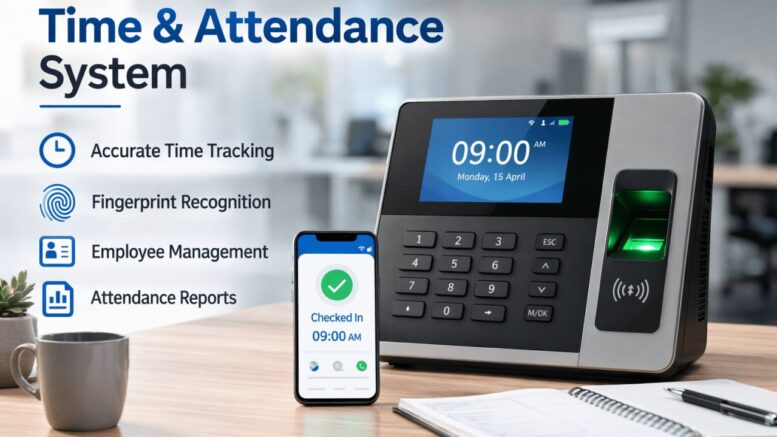
Buddy punching, where one employee clocks in for another, is a problem that card- and PIN-based attendance systems never fully solve, because both a card and a PIN can be handed to someone else. AI facial recognition closes that gap by tying every clock-in to the person’s actual face, making it effectively impossible for one employee to clock in on behalf of another. This article covers how AI facial time attendance software works, the features that matter for commercial deployments, and what to consider before rolling it out across a workforce.
Why Facial Recognition Beats Cards and PINs for Attendance
It Eliminates Buddy Punching
A card can be lent to a colleague and a PIN can be shared over a quick message, but a face cannot be handed off. This single feature is often the biggest driver of payroll savings when companies switch from card-based systems.
It Speeds Up Clock-In During Peak Hours
A facial scan takes a fraction of a second, which matters when dozens of employees are clocking in within the same few minutes at the start of a shift. Card systems and fingerprint scanners are comparatively slower and can create bottlenecks at the entrance.
It Removes the Cost of Physical Cards
Lost or damaged access cards need to be reissued, which is a small but recurring administrative cost. Facial recognition removes that cost entirely since there is no physical credential to lose or replace.
Key Features to Look For in Commercial Deployments
Liveness Detection
A good system can tell the difference between a live face and a photo or video held up to the camera. Without liveness detection, the security advantage of facial recognition over cards largely disappears.
Fast Recognition in Varied Lighting
Entrances are not always evenly lit, especially early morning or late evening shifts. The software should recognize employees quickly and accurately regardless of lighting conditions, not just under ideal studio lighting.
Integration With Payroll and HR Systems
Attendance data should flow directly into payroll calculations without manual export and import steps, reducing both administrative work and the chance of transcription errors between systems.
Benefits for Commercial Businesses
More Accurate Payroll
Eliminating buddy punching and manual timesheet entry means payroll reflects actual hours worked, which can add up to meaningful savings across a large workforce over a year.
Contactless and Hygienic
Unlike fingerprint scanners, facial recognition requires no physical contact with a shared surface, which matters for businesses that want to minimise touchpoints at building entrances.
Useful Data Beyond Attendance
Many systems can also generate footfall and occupancy data, giving facilities teams visibility into building usage patterns that go beyond simple clock-in and clock-out records.
Considerations Before Rolling Out Facial Attendance
Employee Communication and Consent
Facial data is sensitive, so employees should be informed clearly about how it is collected, stored, and used before the system goes live, rather than discovering it on their first day back at the office.
Data Storage and Security Practices
Ask the vendor exactly where facial data is stored, whether it is encrypted, and how long it is retained after an employee leaves the company. These details matter both for security and for compliance with data protection regulations.
A Backup Clock-In Method
Occasionally a face may not be recognized due to an injury, a mask, or a hardware issue. Having a manual backup process, such as a supervisor override, prevents someone from being locked out of clocking in entirely.
Key Takeaways
AI facial time attendance software solves the buddy punching problem that cards and PINs cannot fully address, while also speeding up clock-in and removing the cost of physical credentials. Choosing a system with strong liveness detection, reliable performance in varied lighting, and clear data handling practices makes the rollout both effective and compliant.
Conclusion
Time attendance accuracy has a direct line to payroll accuracy, and AI facial recognition is currently one of the most reliable ways to close the gap that cards and PINs leave open. Beyond the immediate payroll benefits, a well-implemented system speeds up entry, reduces administrative overhead, and gives facilities teams useful data they did not have before. If buddy punching or slow clock-in queues are an ongoing issue at your workplace, facial recognition attendance software is worth evaluating.
Read the product overview here: http://www.smartouch.com.my/tms-time-management-system-singapore-malaysia/
Smart Touch technology pte ltd , www.smartouch.com.sg +65-63964767, sales@smartouch.com.sg , www.smartouch.com.my +607-3889903 sales@smartouch.com.my
Frequently Asked Questions
Is facial recognition attendance software accurate for large workforces?
Modern systems are designed to handle large employee databases with high accuracy, though it is worth confirming the vendor’s recognition accuracy rate and how it performs specifically at your expected headcount before committing.
Can the system work with employees wearing masks?
Many newer systems support mask-aware recognition, though accuracy can vary by vendor. If mask-wearing is common at your workplace, ask specifically about this capability during evaluation.
How is employee facial data protected?
Reputable vendors encrypt facial data both in storage and in transit, and typically convert facial images into a mathematical template rather than storing raw photos, which adds an additional layer of protection.
Does the software work for multiple office locations?
Yes, most commercial systems support centralized management across multiple sites, allowing HR to view attendance data for the entire organization from a single dashboard rather than checking each location separately.
Hardware Options for Facial Attendance Terminals
The physical terminal matters as much as the software behind it, and different site types call for different hardware choices.
Wall-Mounted Terminals for High-Traffic Entrances
Dedicated wall-mounted units are built to handle continuous use at busy entrances, with wider recognition angles that let employees clock in without needing to line up precisely in front of the camera.
Tablet-Based Kiosks for Smaller Offices
Smaller offices with lower foot traffic can often use a tablet-based kiosk running the same recognition software, which costs less to deploy while still delivering the same buddy-punching prevention.
Mobile App Options for Field Staff
For employees who do not work from a fixed location, a mobile app with facial verification and location tagging can extend the same accountability to field-based roles, closing a gap that fixed terminals cannot cover.