Introduction
Managing physical access for hundreds or thousands of employees is one of the most pressing security challenges facing modern corporate offices. Traditional access methods such as PIN codes and ID cards are vulnerable to loss, sharing, and duplication — creating significant gaps that expose organisations to costly security risks. Multi-user fingerprint access management offers a smarter, more reliable alternative by linking access rights directly to each individual’s unique biometric identity.
For corporate offices in Malaysia, fingerprint access control systems have become the gold standard for securing premises, controlling restricted zones, and maintaining accurate attendance records. This guide explains how these systems work, the benefits they deliver, and how to choose the right solution for your organisation.
What Is Multi-User Fingerprint Access Management?
Multi-user fingerprint access management is a biometric security system designed to enroll, manage, and monitor the fingerprint data of large numbers of users from a centralized platform. Unlike single-device setups suited to small businesses, enterprise-grade systems handle workforces ranging from hundreds to tens of thousands of employees across multiple access points and locations.
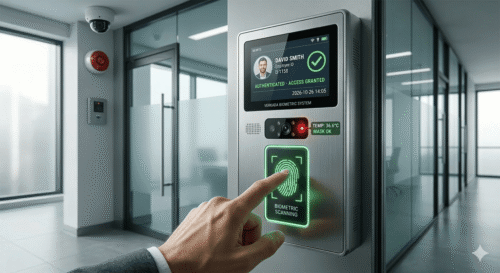
Each user’s fingerprint is captured during enrollment and stored as an encrypted template. When an employee approaches a secured entry point, the system matches their live scan against the stored template in milliseconds. If authenticated, access is granted; if not, the door stays locked and the attempt is logged automatically for review.
The real power of multi-user management lies in access policy configuration. Administrators can assign specific permissions to individuals or groups — granting a finance officer access to the accounts department while restricting entry to the server room, for example — all from a single management dashboard without visiting individual devices.
Key Benefits for Corporate Offices
Enhanced Security with Zero Credential Sharing
A fingerprint cannot be borrowed, photocopied, or transferred the way a physical card can. Every access event is tied to a specific individual, making tailgating and unauthorized entry significantly more difficult. This is especially critical for offices handling sensitive client data, proprietary intellectual property, or high-value assets that require strict access control at all times.
Centralized Access Control for Large Workforces
Large organizations can manage access rights for their entire workforce from a single platform. When a new employee joins, their fingerprint is enrolled and permissions are configured immediately. When they leave, access is revoked within seconds — with no physical card to collect. This reduces administrative overhead substantially and eliminates the lingering risk of ex-employee access that plagues card-based systems.
Complete and Reliable Audit Trail
Every fingerprint verification generates a timestamped log recording the user, location, time, and access outcome. These logs support internal investigations, compliance audits, and data protection obligations under Malaysia’s Personal Data Protection Act (PDPA). Having a tamper-proof record of who entered which area and when is invaluable for corporate governance and incident response.
Seamless Time and Attendance Integration
Modern fingerprint access systems integrate directly with HR and payroll platforms. Attendance data captured at entry points feeds automatically into payroll calculations, eliminating manual timesheets and reducing the potential for manipulation or human error. Organisations save significant administrative time each month while improving payroll accuracy and transparency.
Scalability Across Multiple Locations
Whether you operate a single office or a network of sites across Malaysia, fingerprint access management platforms are built to scale. New locations, readers, and users can be added without replacing existing infrastructure. Multi-site management from a unified dashboard makes it straightforward for growing organisations to maintain consistent security standards across all premises.
How Multi-User Fingerprint Access Management Works
Step 1 — Employee Enrollment
Each employee registers their fingerprint — typically both index fingers as a minimum — at an enrollment station. The system converts the scan into a mathematical template that is stored securely in a central server, on-device memory, or the cloud, depending on the chosen architecture.
Step 2 — Access Policy Configuration
Administrators define which zones each user or group can access and during which time windows. A night shift supervisor may have after-hours access to production areas; a junior executive may be limited to the main floor during business hours only. These policies can be updated instantly as roles and responsibilities change.
Step 3 — Real-Time Access Verification
At each entry point, the reader captures the employee’s fingerprint and matches it against stored templates within milliseconds. The system immediately grants or denies access and logs the event, creating a real-time picture of site occupancy that managers can view from anywhere.
Step 4 — Monitoring and Reporting
Security managers and HR teams can access live dashboards showing current site occupancy, historical access logs, failed attempt alerts, and compliance reports. Automated notifications can be configured for after-hours entries, repeated failed attempts, or access to high-security zones.
Choosing the Right System for Your Organisation
When evaluating fingerprint access management solutions, consider the following key factors to ensure the system meets both your current needs and future growth plans.
| Evaluation Factor | What to Look For |
|---|---|
| User Capacity | Supports your current workforce with clear room to grow — 10,000+ templates recommended for large organisations |
| Network Architecture | Cloud-based for remote management, on-premise for full data control, or hybrid for flexibility |
| System Integration | Compatible with existing HR, payroll, and broader security infrastructure |
| Hardware Durability | Built for high-traffic environments handling thousands of daily scans reliably |
| Vendor Support | Local technical support available for installation, maintenance, and emergency response |
Common Use Cases in Malaysian Corporate Environments
Fingerprint access management serves a wide range of needs across Malaysian corporate settings. Main office entry points benefit from replacing reception-managed visitor processes with automated employee authentication. Server and data rooms require tightly controlled IT access that only fingerprint systems can reliably enforce. Executive floors demand confidentiality that card-based systems cannot guarantee. Finance departments need to protect sensitive records from unauthorized access. Multi-site organisations need a unified system that delivers consistent security across headquarters, branch offices, and warehouse facilities without the complexity of managing separate systems for each location.
Conclusion
Multi-user fingerprint access management has evolved from a specialized security tool into an essential component of modern corporate infrastructure. For Malaysian businesses managing large or growing workforces, it delivers the security, control, and compliance capabilities that today’s operating environment demands. By replacing outdated access methods with proven biometric technology, organizations gain a more reliable, efficient, and scalable approach to protecting their premises and people.
Whether you are securing a single headquarters or coordinating access across a national network of sites, a well-implemented fingerprint access management system delivers lasting value — protecting your assets, your data, and your workforce for years to come.
Frequently Asked Questions (FAQ)
How many users can a corporate fingerprint access system support?
Enterprise-grade systems typically support between 10,000 and 100,000 fingerprint templates, making them suitable for large organisations with multiple locations. The exact capacity depends on the specific hardware and software platform you select.
Can fingerprint access data integrate with payroll systems?
Yes. Most modern fingerprint access platforms offer direct integration with HR and payroll software, automatically feeding attendance data into payroll calculations and eliminating the need for manual timesheets.
What happens if an employee’s finger is injured?
Best-practice systems enroll multiple fingers per user and support secondary authentication methods such as PIN codes or access cards as a backup, ensuring continuity even when biometric verification is temporarily unavailable.
Is fingerprint data stored securely?
Yes. Reputable systems store encrypted fingerprint templates rather than actual fingerprint images. These templates cannot be reverse-engineered, ensuring employee privacy and compliance with data protection regulations including Malaysia’s PDPA.
Can the system manage multiple office locations?
Absolutely. Multi-site management is a core feature of enterprise fingerprint access systems, allowing administrators to manage users, permissions, and audit logs across all locations from a single centralized platform.
Click here to find out how the product works :https://www.smartouch.com.my/category/time-clock/biometric-fingerprint/
Smart Touch technology pte ltd , www.smartouch.com.sg +65-63964767, sales@smartouch.com.sg , www.smartouch.com.my +607-3889903 sales@smartouch.com.my