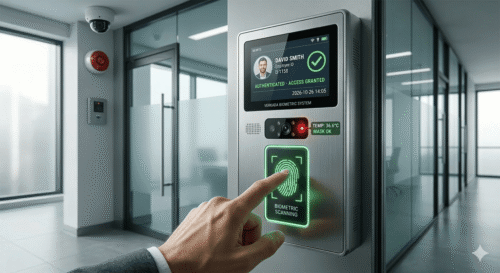
Retail stores and food and beverage outlets operate on tight staffing schedules with frequent shift changes, part-time staff, and multiple outlet locations. A reliable fingerprint time attendance device helps these businesses track working hours accurately without adding administrative overhead. This article explores why fingerprint attendance systems are well suited for retail and F&B operations, and what to look for when choosing a device.
Why Retail and F&B Businesses Need Reliable Time Attendance
Unlike office environments with fixed hours, retail and F&B outlets often run on rotating shifts, part-time staff, and multiple part-day sessions. Without an accurate system, calculating actual hours worked, overtime, and shift compliance becomes a constant administrative burden for outlet managers.
Why Fingerprint Devices Work Well for These Industries
1. No Cards to Lose or Forget
Part-time and shift-based staff often misplace access cards. Fingerprint recognition removes this dependency entirely, since employees always have their fingerprint with them.
2. Fast Clock-In During Shift Changes
Fingerprint scanning takes only a second or two, which is important during busy shift handovers in retail stores or restaurant kitchens.
3. Accurate Overtime and Shift Tracking
Automated timestamping ensures overtime hours are calculated based on actual clock-in and clock-out times rather than manual estimates.
4. Affordable for Multi-Outlet Operations
Fingerprint devices are generally cost-effective to deploy across many small outlets compared to more expensive facial recognition or access control systems.
Key Features to Look For
| Feature | Why It Matters for Retail/F&B |
|---|---|
| Fast fingerprint matching | Reduces queue time during shift changes |
| Cloud-based reporting | Allows head office to monitor attendance across all outlets |
| Offline mode support | Continues recording attendance during internet outages |
| Payroll integration | Simplifies calculation of hourly wages and overtime |
| Compact design | Fits small counter spaces common in retail and F&B outlets |
Step-by-Step: Setting Up Fingerprint Attendance Across Multiple Outlets
Step 1: Register Employee Fingerprints
Enroll each staff member’s fingerprint during onboarding at their assigned outlet.
Step 2: Configure Shift Schedules
Set up shift patterns in the system to automatically flag late arrivals or early departures.
Step 3: Connect to Head Office Reporting
Enable cloud syncing so management can view attendance data across all outlets from a central dashboard.
Step 4: Integrate With Payroll
Link attendance records to payroll processing to automate hourly wage and overtime calculations.
Comparing Fingerprint Devices to Other Attendance Methods
| Aspect | Fingerprint Device | Facial Recognition | Manual Sign-In |
|---|---|---|---|
| Cost | Low to moderate | Moderate to high | Low but high error risk |
| Speed | Fast | Very fast | Slow |
| Hygiene | Requires contact | Contactless | Shared pen/paper |
| Best for | Multi-outlet retail/F&B | High-traffic corporate lobbies | Very small teams only |
Key Benefits at a Glance
- Cost-effective: Affordable to deploy across many outlets
- Accurate: Eliminates buddy punching and manual errors
- Fast: Minimal disruption during shift changes
- Centralized visibility: Head office can monitor all outlets remotely
- Payroll ready: Simplifies hourly wage and overtime calculations
Best Practices for Multi-Outlet Deployment
Standardize the device model and configuration across all outlets to simplify support and troubleshooting. Train outlet supervisors on basic device maintenance, and schedule periodic checks to ensure fingerprint sensors remain clean and functional in busy retail or kitchen environments.
Conclusion
A fingerprint time attendance device offers retail and F&B businesses an affordable, fast, and accurate way to track staff hours across multiple outlets. With features like cloud reporting, payroll integration, and offline support, these devices reduce administrative overhead while ensuring wages and overtime are calculated correctly. Reviewing your current time tracking setup against these capabilities can help identify quick wins for your operation.
Frequently Asked Questions
1. Can fingerprint devices work without internet access?
Yes, most devices support offline mode and sync attendance data once connectivity is restored.
2. Are fingerprint devices hygienic for F&B environments?
Regular cleaning of the sensor is recommended, and some outlets choose to pair fingerprint devices with hand sanitizing stations nearby.
3. How many outlets can be managed from one dashboard?
Cloud-based systems typically support monitoring across dozens or even hundreds of outlets from a single central dashboard.
4. Does the device support part-time and rotating shift staff?
Yes, shift schedules can be configured flexibly to accommodate part-time, rotating, or split-shift staffing patterns.
5. Can attendance data be exported for payroll processing?
Most systems allow attendance data to be exported or directly integrated with payroll software for accurate wage calculations.
Click here to find out how the product works: https://www.smartouch.com.my/category/time-clock/biometric-fingerprint/
Smart Touch technology pte ltd , www.smartouch.com.sg +65-63964767, sales@smartouch.com.sg , www.smartouch.com.my +607-3889903 sales@smartouch.com.my